
Email your family account tax statement anytime on the Procare website or the Procare child care mobile app.
Family Account Tax Statement
Go to schools.procareconnect.com and log in.
Click Payments.
Click Tax Statement.
Select the year.
Click Send Email. The tax statement is sent to you and the other parents/guardians in your family who have an email address on file. If you are billed separately from your child’s other parent/guardian (for example, two households that each get their own invoices), it goes only to you and the people you are billed together with.
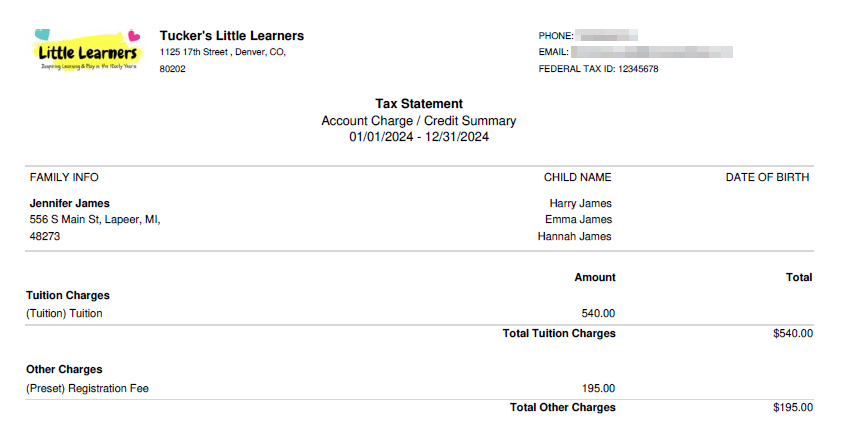
Here is an example of a family account tax statement.
Open the Procare child care mobile app.
Tap Menu
 .
Tap View Transactions.
Tap Tax Statement.
Select the year.
Tap Send Email. The tax statement is sent to you and the other parents/guardians in your family who have an email address on file. If you are billed separately from your child’s other parent/guardian (for example, two households that each get their own invoices), it goes only to you and the people you are billed together with.
Here is an example of a family account tax statement.