Issue a credit or edit/delete an existing credit
If you need to issue a credit to a parent (the example used here is an excused absence), you can go into the family's billing account to initiate a New Transaction. You can also edit or cancel any credits issued in the family's billing account.
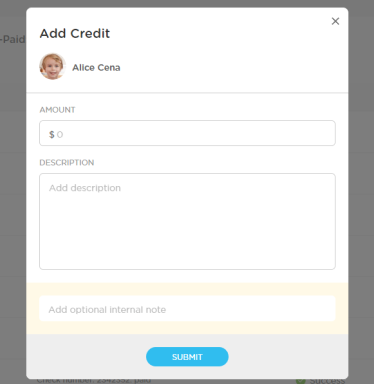
Create a New Credit:
- Go to Billing-->Family Account
- Click on the name of the student
- Select "New Transaction"
- Select "Add Credit"

- Fill out the amount and any relevant details and click "Submit"
Edit or Cancel a Credit:
- Go to Billing-->Family Account
- Click on the name of the student
- Use the ellipsis on the line with the credit (red arrow below) to "Edit" or "Cancel" (circled in red below)
