Mark your favorite reports and access them quickly and easily from the Reports menu. There is no limit to the number of reports you mark.
Designate Your Favorite Report
Go to Reports > Room/Program or Financial.
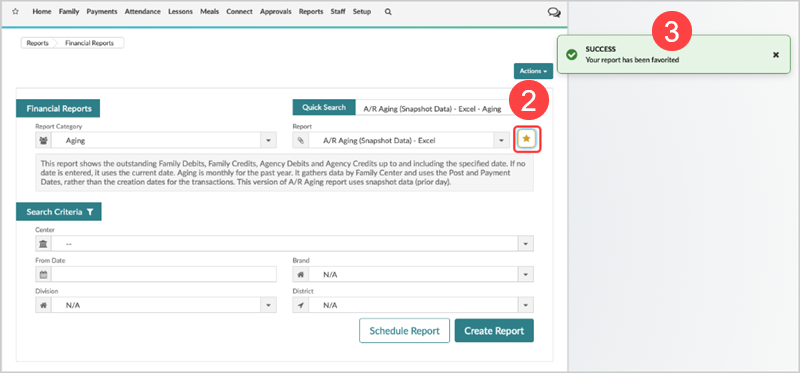
Select the report from the report dropdown.
Click the Favorite
 next to the report name.
A message displays that the report has been marked as a favorite.
Find Your Favorite Reports
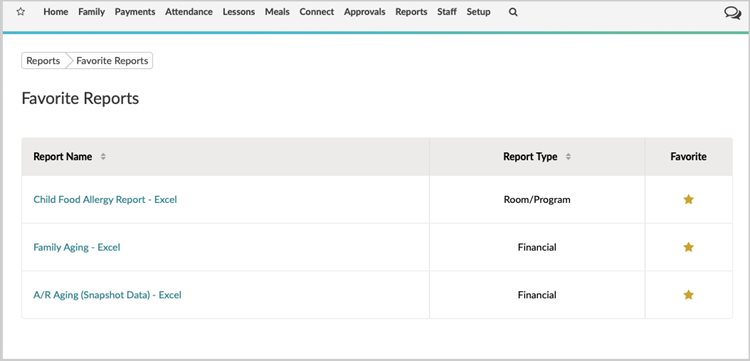
Go to Reports > Favorite Reports. The list of your reports displays. Click any report to open.
Delete the Favorite Report Designation
Click