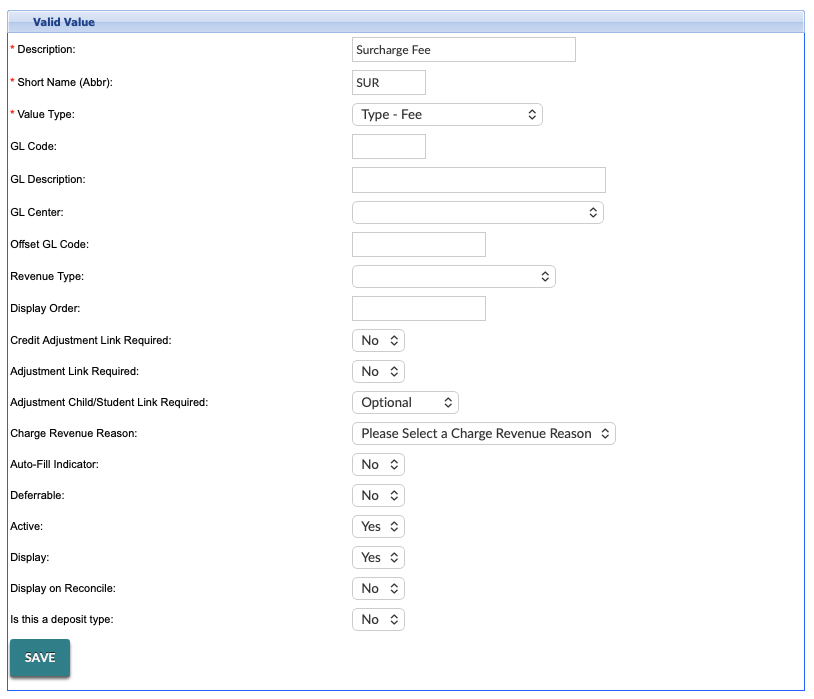
Surcharging and convenience fees cannot be used together. Only one option may be enabled at any given time.
Please reach out to your Customer Success Manager if you are interested in setting up surcharging. They will provide you with additional information and any necessary templates.
Surcharging Overview
Surcharging is the practice of applying an additional fee to certain electronic card payments to help offset processing costs. When enabled, the surcharge is automatically calculated and added to eligible transactions at the time of payment.
Only certain card types are eligible for surcharging, per card brand rules and applicable regulations. If a card type is not eligible, the surcharge will not be applied.
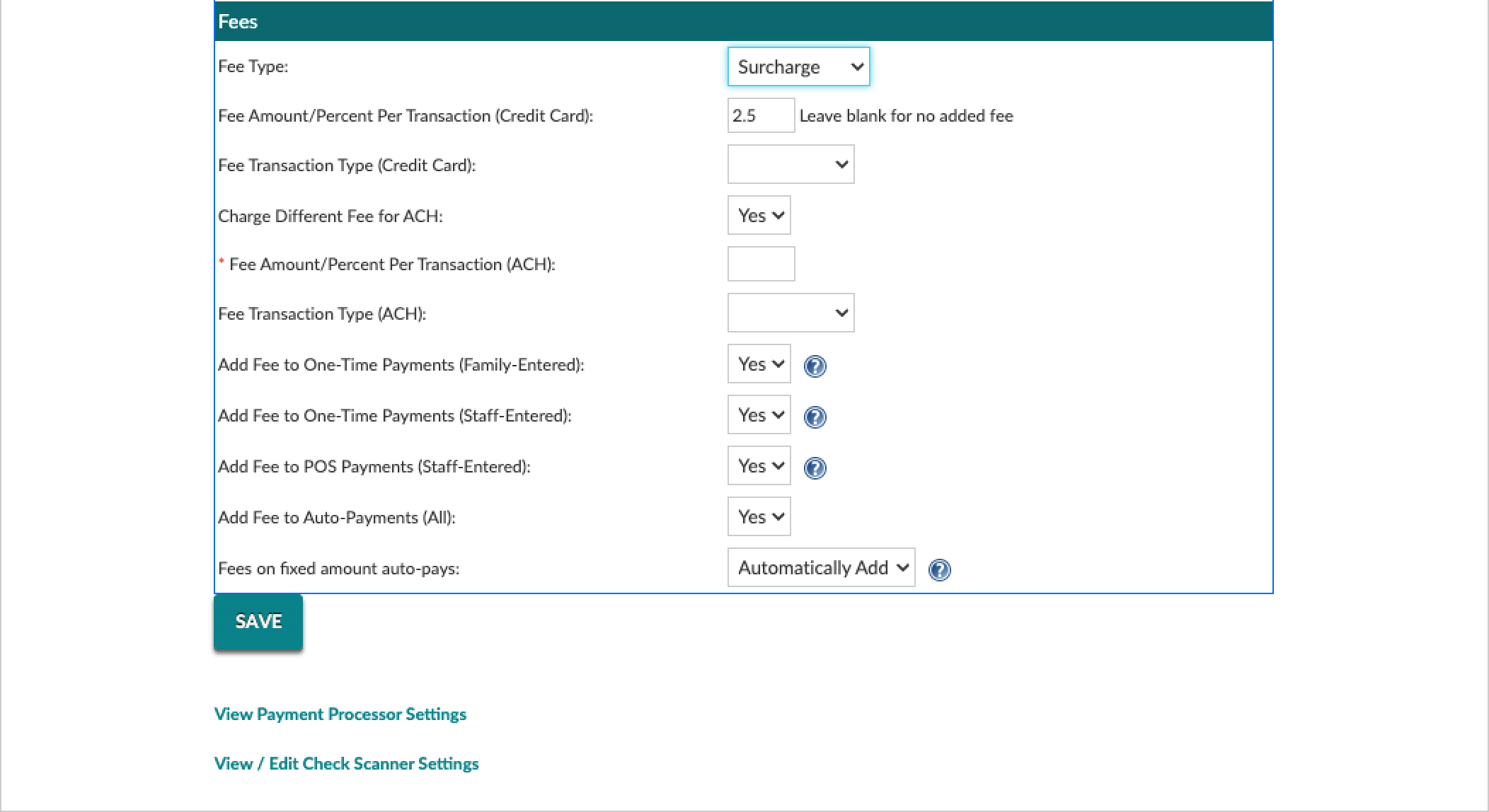
When configuring surcharges, a percentage-based setup is generally recommended. Using a percentage simplifies the refund process because the surcharge adjusts proportionally with the transaction amount. If a fixed dollar amount is used instead, the full surcharge amount must be refunded, even when issuing a partial refund. This can make partial refunds less flexible.
When surcharging is enabled, the surcharge appears as a separate line item on receipts and in reporting. This ensures transparency for payers and allows the fee to be tracked independently from the original payment amount.
Surcharging Setup
Surcharging Setup
Only users with Support Role 7 or 99 have permission to enable surcharging. Once surcharging has been turned on, customers with other roles can update the configuration fields themselves, including selecting a percentage or fixed dollar amount and adjusting the surcharge value as needed.
Surcharging is configurable and customizable at the business and center level. The instructions below are focused on the business level.
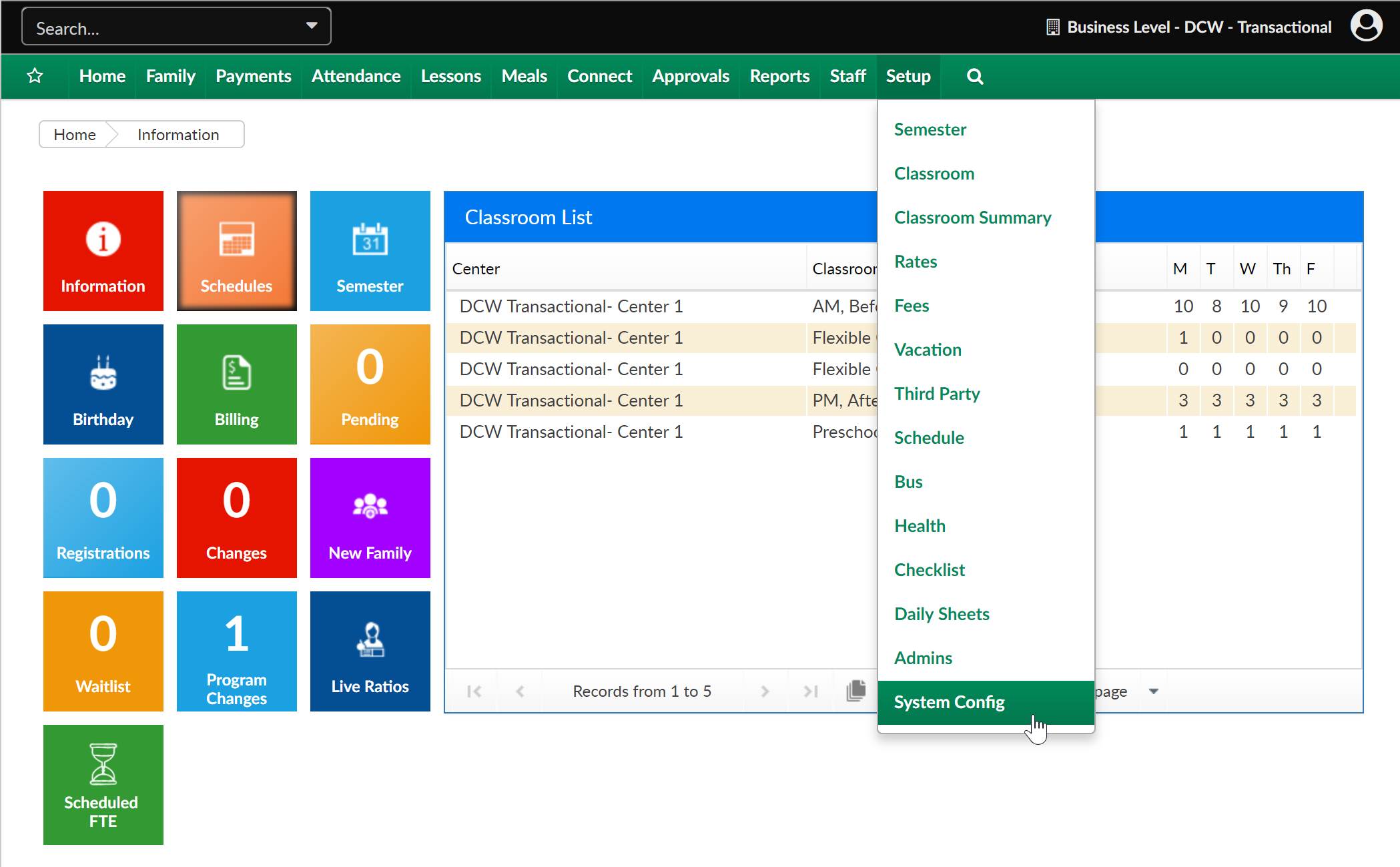
To setup surcharging for electronic payments go to the Setup menu, then select System Config
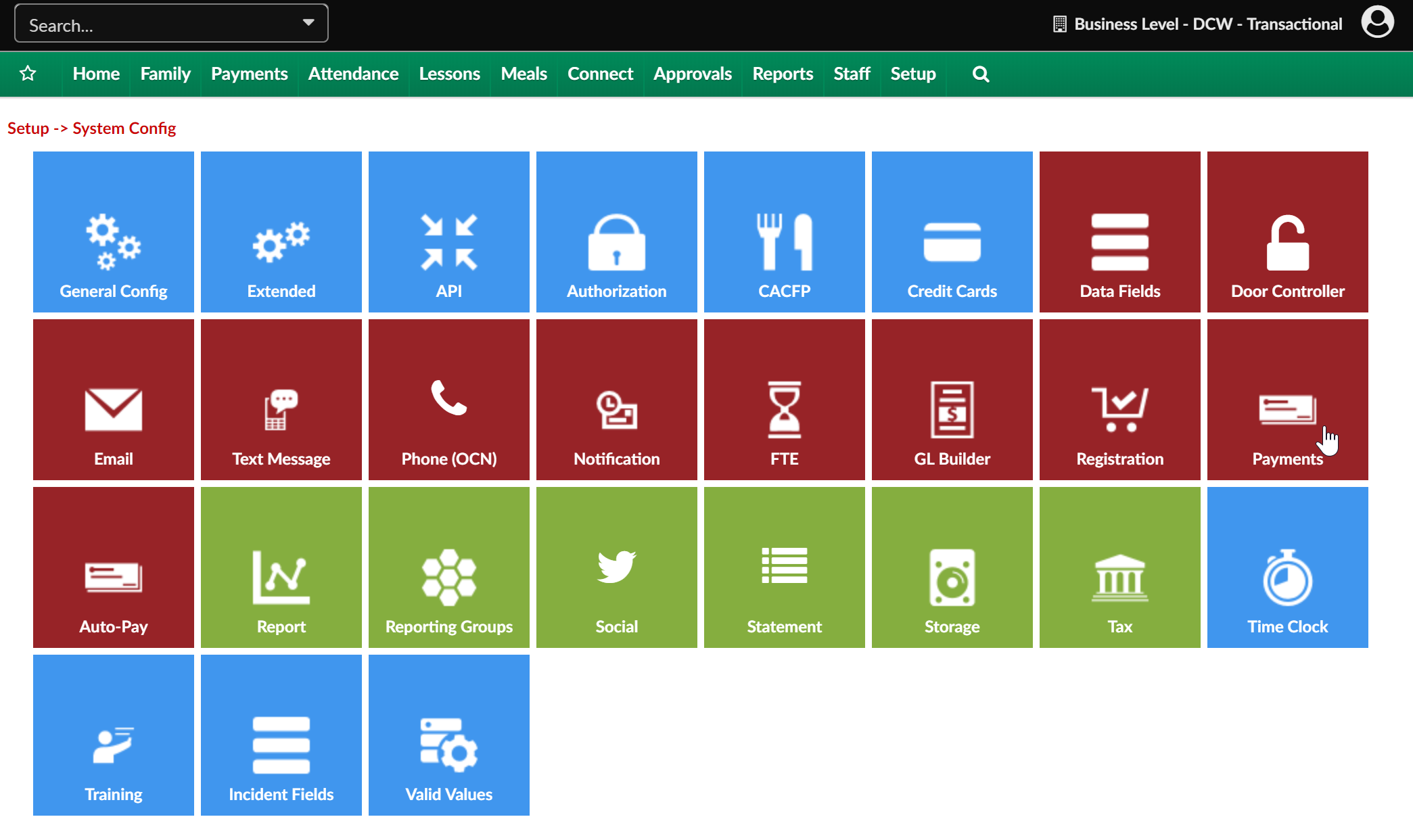
Select the Payments option.