Tax Tables and W2 Software
Tax Tables are typically released in early January. The W2 software will be available for download at the same time as the Tax Tables.
This article is center staff who have previously downloaded tax tables and now need updated tax formulas for the new year. Payroll tax tables include formulas for federal income tax, FICA – Social Security, FICA – Medicare, and state income tax tables.
FUTA and SUTA
You must manually update FUTA and SUTA rates separately.
Download New Tax Tables
Go to Procare Home.
Click Configuration > System.
Click Accounting Management > Payroll > double-click Payroll Formulas.
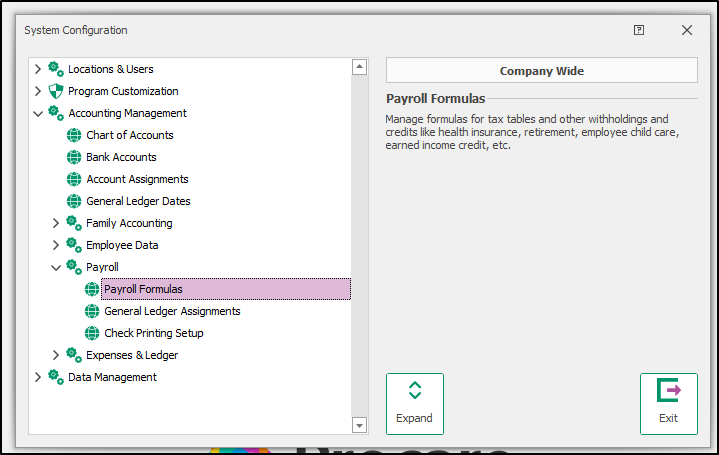
Click Download & Update.
Select the year you want to import and update.
Click Continue.
Click Yes to confirm that you wish to install tax tables for the selected year.
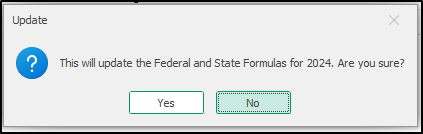
Your tax tables are updated.
Having Problems Downloading Tax Tables?
You may see the message Online File Not Available or Unable to Download. This usually means one of two things:
You are not connected to the internet.
The tax tables for the selected year have not been released yet. New-year tables are typically available in early January.
 Call customer support at (800) 964-1729 if you are unable to update your tax tables.
Annual Maintenance Subscription
For customers with an active annual maintenance plan, tax tables are included in your package. If your plan is inactive, a message displays indicating your access to tax tables is restricted due to the subscription status.
If you see this message, try an online update before contacting your account manager. Your active maintenance status may not be registering in the sofftware, and syncing with the Procare server through the online update can resolve this.
Go to Procare Home > Utilities > Check for Online Update.
When the update finishes, try downloading the tax tables again.
If you still cannot access the updated tax tables, contact your account manager at clientservices@procaresoftware.com for help with your annual maintenance subscription.