Drop-Off Notes provide a seamless communication experience for families and staff to communicate important information.
Procare provides families with a drop-off notes form to streamline and standardize morning drop-off communication.
Enabling Drop Off Notes
Drop-off notes are automatically enabled for all accounts and accessed via the Child Care Mobile App by staff and families.
Note: Staff must be assigned to a room in order to view drop-off notes. They can still access drop-off notes for their assigned rooms, even if they don't have permission to view Parent/Staff Messages.
Staff: How to View Drop-Off Notes
To access completed drop-off notes, navigate to the Messages section within your child care mobile app. Drop-off notes will appear in chronological order and can be viewed throughout the day, but are only available same-day.
Notes will appear in red if they are new or have not been previously reviewed
Locating and Viewing Drop-Off Notes
Select the Messages icon at the bottom of the screen.

Click Drop-Off Notes. A magenta dot will display when there are unread drop-off notes.
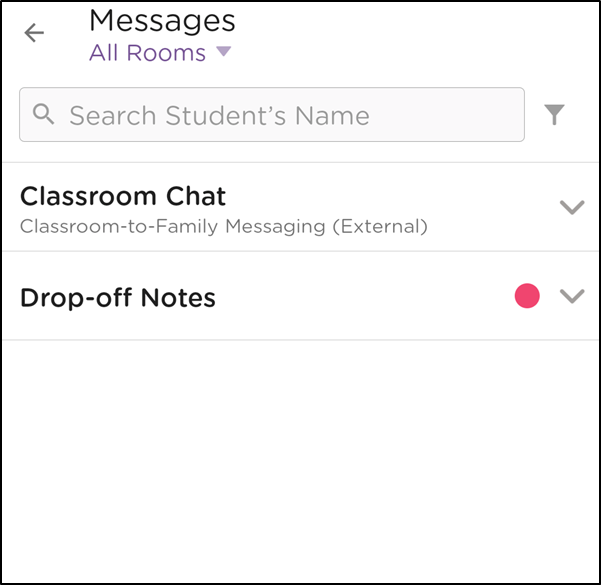
All submitted drop-off notes will displays for the room selected. If 'All Rooms' is selected, all drop-off notes for assigned rooms will be visible.
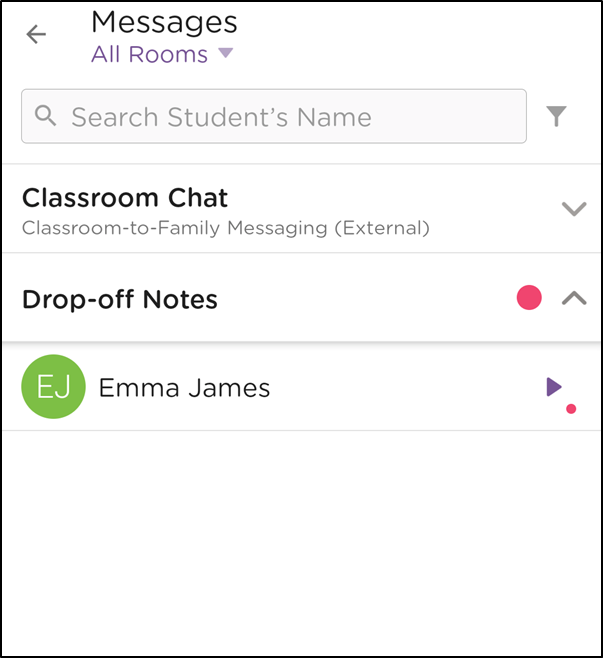
Click the student name to expand the drop-off note to see further details.
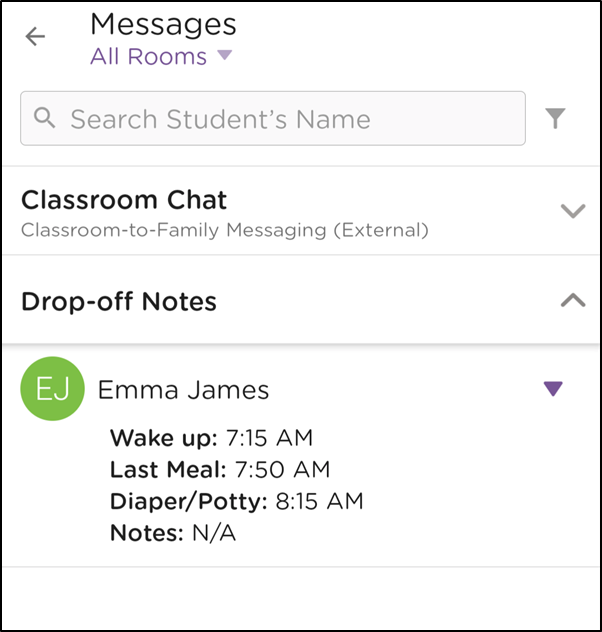

Additional Information:
Teachers can only view drop-off notes for the room(s) they are associated with.
Admins are able to view drop-off notes for all rooms.
An admin can assign rooms for staff/teachers in the web application.
An admin can update messaging permissions for staff in the web application.
All parents/guardians of a child will be able to view the submitted drop-off notes in their mobile app
A lock symbol will appear next to the submitted drop-off note in the parent app once the child has been signed in.