
Let Procare guide you through end-of-year tax preparation and setup with helpful articles, FAQs, and videos.
As the year comes to a close, families need quick access to accurate financial records for tax preparation and reimbursement programs. By following a few simple steps, families can view and print all transactions directly from the Procare website, ensuring everything is ready for a smooth year-end transition.
Printing Statements for Year-End Taxes or Reimbursement
How Families Can Print Year-End Statements
Two Options for Statements
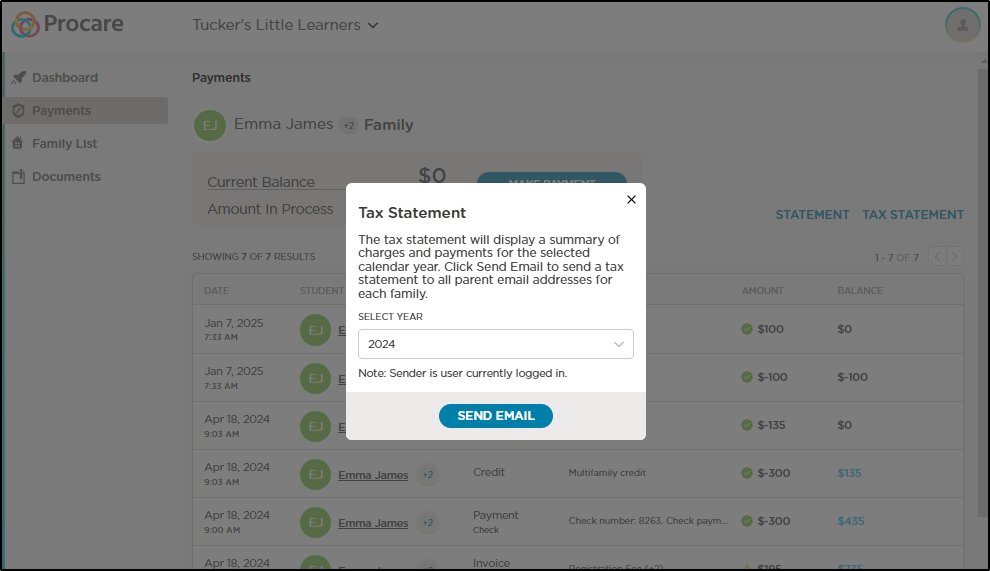
When printing statement information, you’ll see two options:
Statement: A customizable report for any date range (up to 12 months)
Tax Statement: A year-end summary designed for tax filing and reimbursement programs
Encourage families to print or download their statements early to avoid last-minute stress during tax season.
FAQ
What’s the difference between a Statement and a Tax Statement?
A Tax Statement is formatted specifically for year-end reporting, showing the entire year’s charges, credits, and payments in one PDF.
A Statement lets you select a custom date range (up to 12 months) and is useful for mid-year reviews or reimbursement requests.
Can I download the statement instead of printing it?
Yes! Both options generate a PDF that you can save to your computer or device. The tax statement is emailed to the email addresses for the payers, while the statement is generated as a PDF instantly.
What if I need statements for multiple children?
All children are conveniently displayed on a single statement.
How do I know which email address the Tax Statement was sent to?
Check the Family List in the left-hand menu to see all parent accounts and associated emails.
What if I don’t see the Tax Statement option?
Contact your child care center for assistance, or use the Statement option to generate a PDF for the year.