From the Reports > Misc section there are multiple reports that can be filtered and pulled.
Reports
Over the next few months, we are rolling out a feature that reduces long report wait times and improves system stability and performance by running large reports in the background. You can keep working on other tasks while reports run, and you will be notified once results are ready — or if there was a report issue. Completed reports are available for download for five days, after which they must be rerun. A new menu option, Generated Reports, will be available in the Reports menu.
Click Setup, then select Misc.
From the Miscellaneous reports screen, the following reports can be accessed

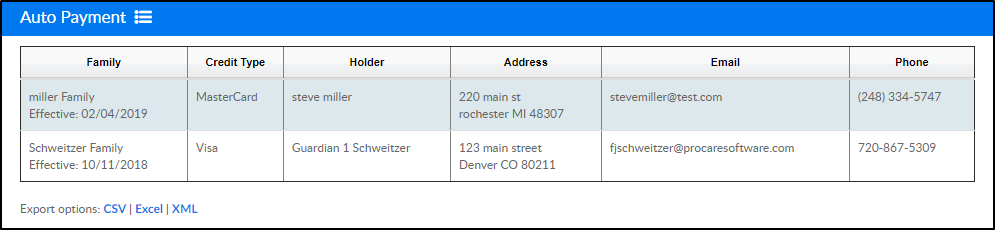
Auto Payment - view families that have signed up for auto payment, along with basic contact information. This report can be exported into CSV, Excel, or XML format
Staff CPR Alerts - view staff members that have a CPR certification expired or close to expiring. By clicking the staff member's name, the system will navigate to the profile within the Staff List screen

Student/Child Directory - enter search criteria, then export student, family, or teacher information into different reports
