This feature lets you see which payer accounts have payment issues without running a report. A simple visual flag stays on the account, so you can tell at a glance which ones currently need attention.
Previously, this information wasn't available in real time — it required running a manual report. Without a clear, ongoing signal, a payment issue could go unresolved for a while, and an account could be charged again before it was actually fixed.
With this flag in place, you can spot and follow up right away, avoid re-attempting charges on accounts that still need resolution, and prevent balances from going unaddressed.
View the Payment Issue Alert
Go to Procare Home > Family Data & Accounting. In the Accounts list, Payment Issue Alert  flags any account with an unresolved payment problem.
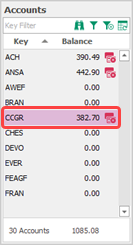
Click on the alert flag to review the details.
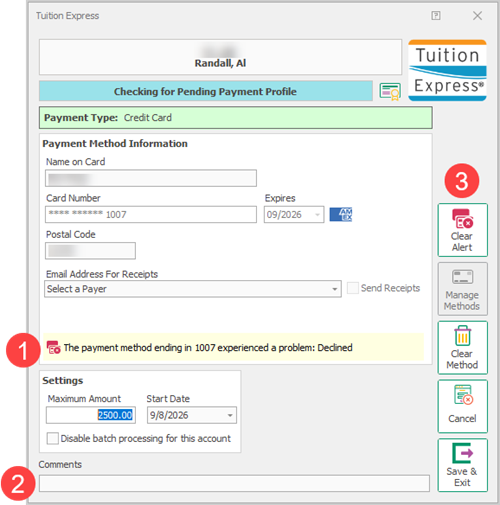
The reason for the payment flag is clearly noted.
Comments can be added to help track follow-up.
Click Clear Alert to remove the flag.
Batch Payment Alerts

Learn more about Batch Payment Processing.
Review declined payments before completing the batch process to avoid additional declines. Alerts available for ACH and credit cards.
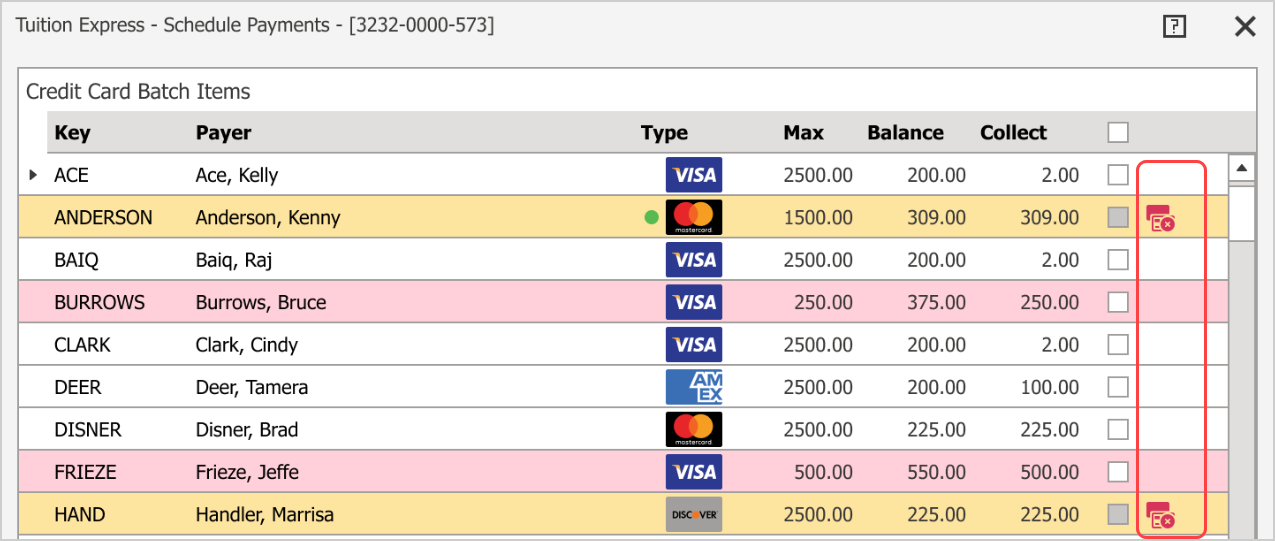
Click the Payment Alert .png) .
.
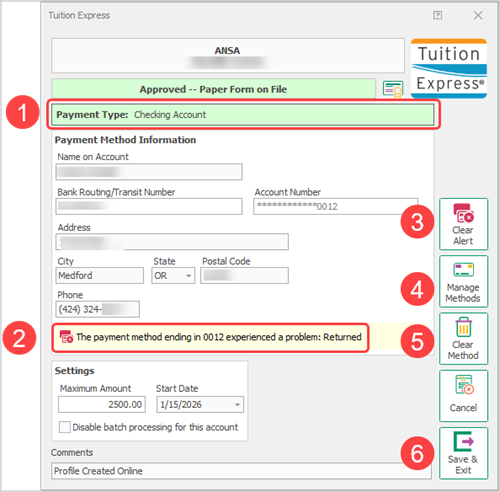
Review the payment type.
The reason for the payment decline.
Click to Clear the Payment Alert.
Click to Manage Methods and add an additional payment method.
Learn more about Update Preferred Payment Method.
Proceed with caution.Clear Method will remove the account from scheduled payment processing.
Click Save & Exit to keep the new settings.