Navigation Changes
The Leads and Registration sections are now under Enrollment.
Track the statuses of emails sent to leads. This allows you to further track the interest of the leads and ensure that the communication is being received.
Go to Enrollment > Communication.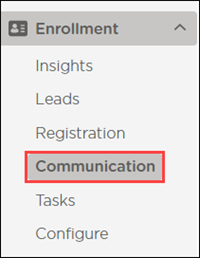
The Emails Sent window displays by default. Email statuses display in the Status column and statuses with the percentage of emails in each status display at the top of the list.
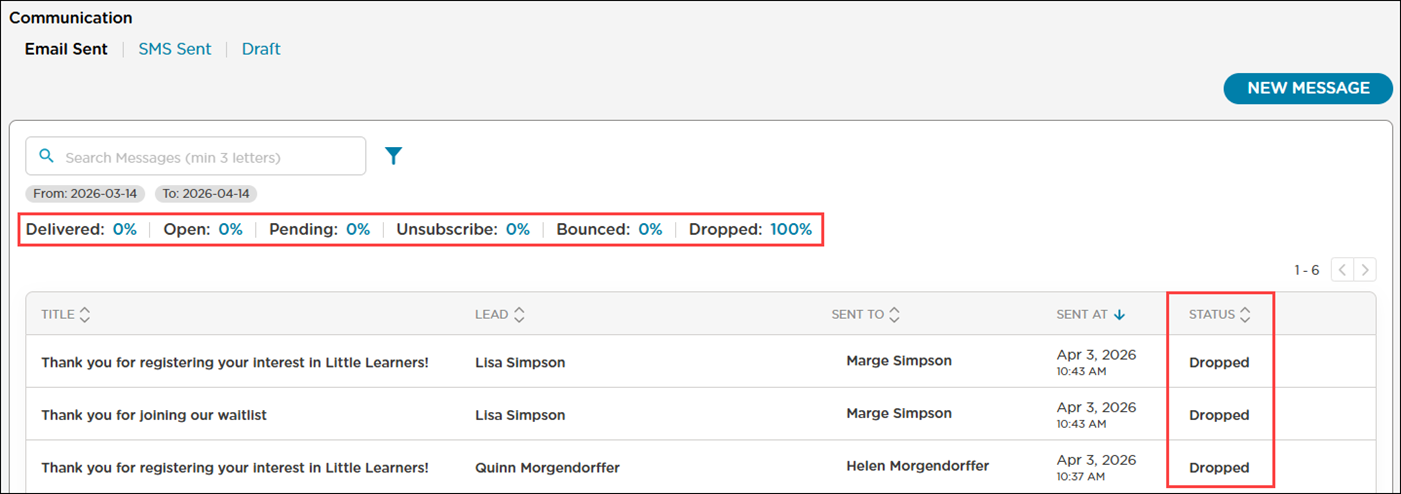
Once an email is sent to a lead, it will display in Emails Sent with the following information:
Email subject
First and last name of the lead
First and last name of the parent/guardian
Date and time the email was sent
The status of the email
Email Status Descriptions
Status | Description |
|---|---|
Delivered | This email has been successfully sent to the email address on file, but the email has not yet been read. |
Open | The email has been successfully delivered and the parent/guardian has opened the email. |
Pending | The email has been sent, but it has not yet been successfully delivered to the parent/guardian. |
Unsubscribe | The parent/guardian has unsubscribed from receiving emails. |
Bounced | The email could not be delivered. This can result from the parent's/guardian’s server not accepting the email, the parent/guardian had previously unsubscribed from the emails or the parent/guardian marked prior emails as spam. |
Dropped | Prior emails sent to the parent’s/guardian’s email address have bounced. |