Navigation Changes
The Leads and Registration sections are now under Enrollment.
Procare Online Only
This article applies to the online version only (without desktop).
Linking children as siblings in Leads allows you to easily track incoming families and prevents future confusion once the leads are converted to students.
Link Existing Leads as Siblings
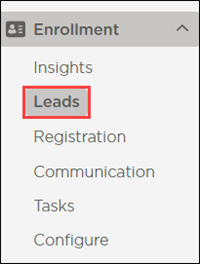
Go to Enrollment > Leads.
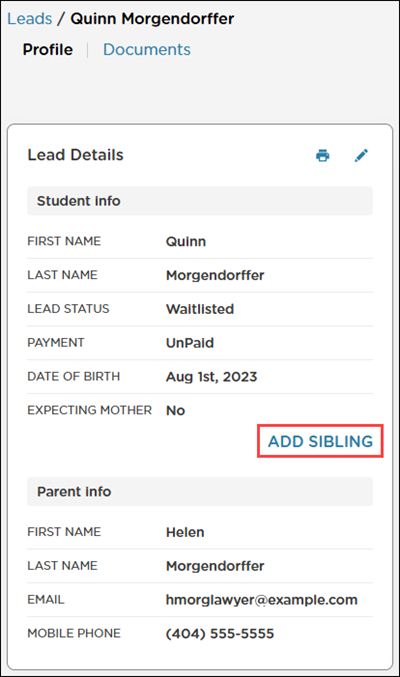
Select a lead.
Click Add Sibling in the Profile section.
Do one of the following:
If the sibling has a lead profile created:
Select Choose Existing Lead.
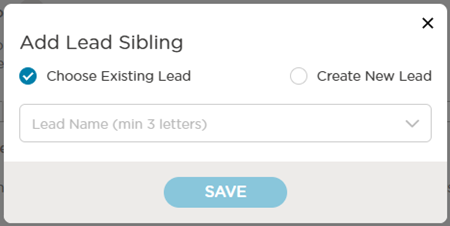
Search for the sibling's name.
Click Save.
If the sibling does not have a lead profile created:
Select Create New Lead.
Click Continue.
Complete the fields on the New Lead Sibling window.
Click Save.
Once the sibling is linked, the sibling’s name displays next to the selected student’s name in the Profile.
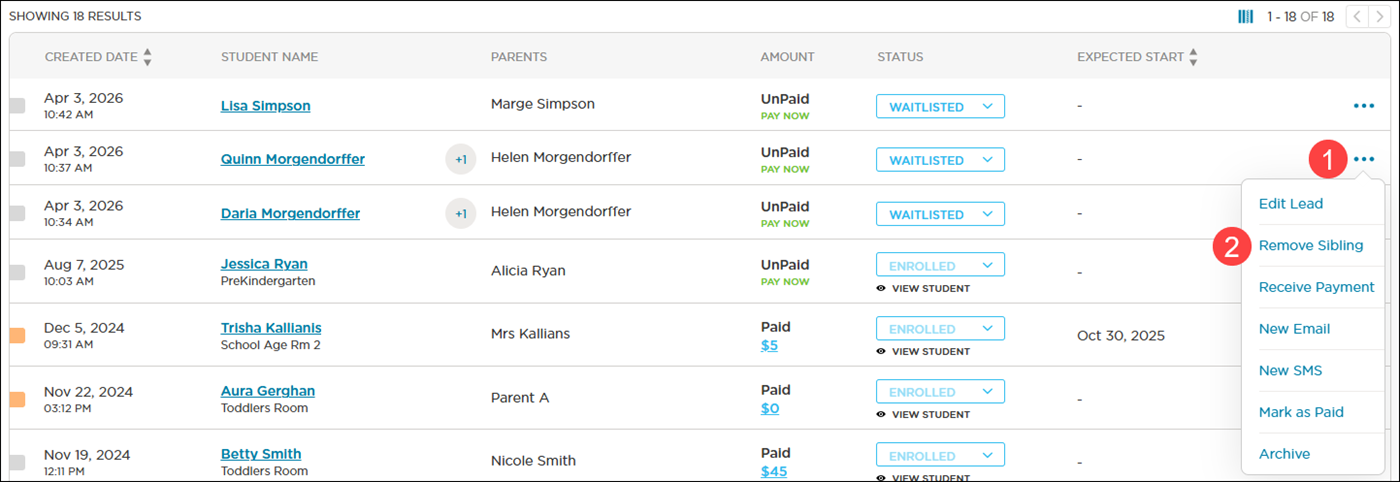
Leads with a linked sibling have +1 next to their name in Leads. Hover over the +1 to see the name of the lead’s sibling.

Unlink Leads
To unlink leads that were linked in error:
Click More Actions
 on a sibling’s row.
Select Remove Sibling.
Select Siblings
When leads are linked as siblings, you can view the history and actions that have been taken for the family.
Select a sibling’s name in the Profile to quickly toggle between the leads.
.png)
Note
All linked leads display in the Leads list, which allows you to convert only one of the siblings to a student (enrolled).