Release Date: Tuesday, November 11, 2025
New Features & Enhancements
Reporting Enhancements
The Reports dashboard has new capabilities and a modern design. Bookmark your most-used reports for quick and easy access, or search through the collapsible categories in the Reports Library to discover exactly what you need to make data-driven decisions for your center.
New and enhanced features include:
-
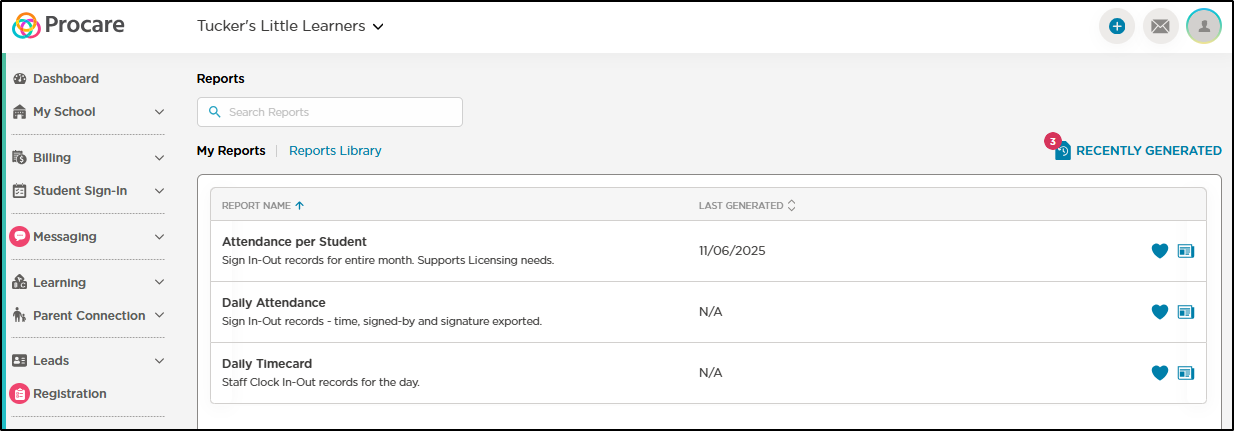
A My Reports tab has been added to display your 10 most used reports. Once adding a report as a favorite (clicking the heart icon), you can also save your report preferences (filters) to make running the report faster than ever.
-
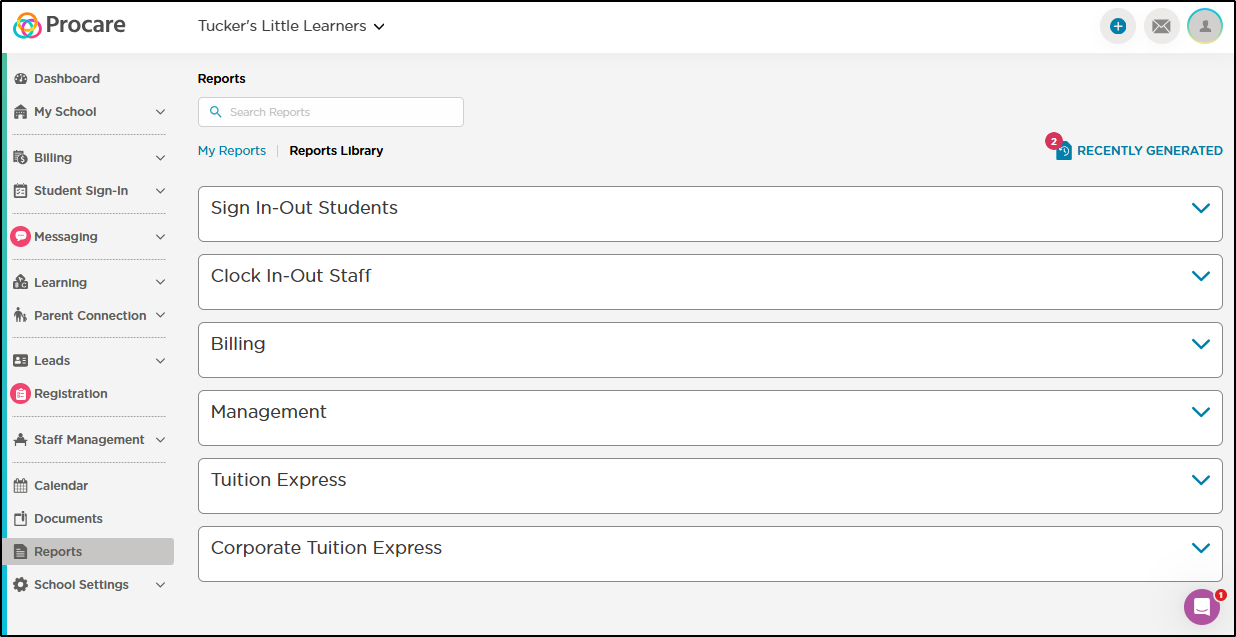
The Reports Library displays all available reports with a new design. Each report category is collapsible to make it easier to find the report you're looking for.
-
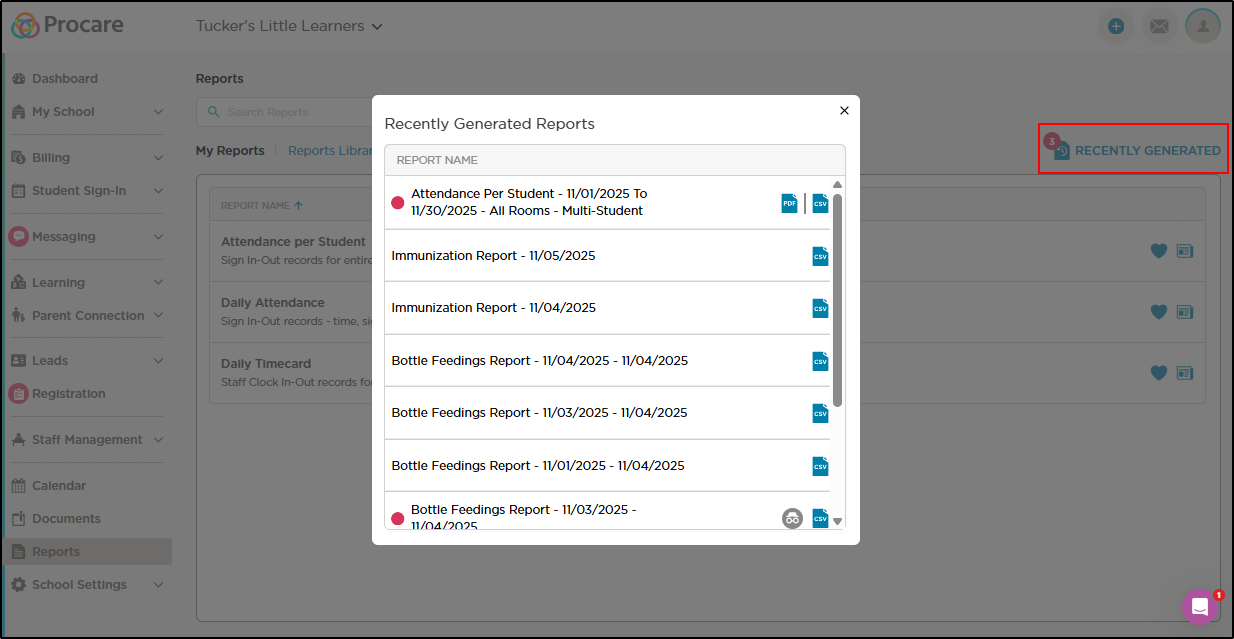
Recently Generated Reports is accessible from My Reports and the Reports Library by clicking the Recently Generated button.
-
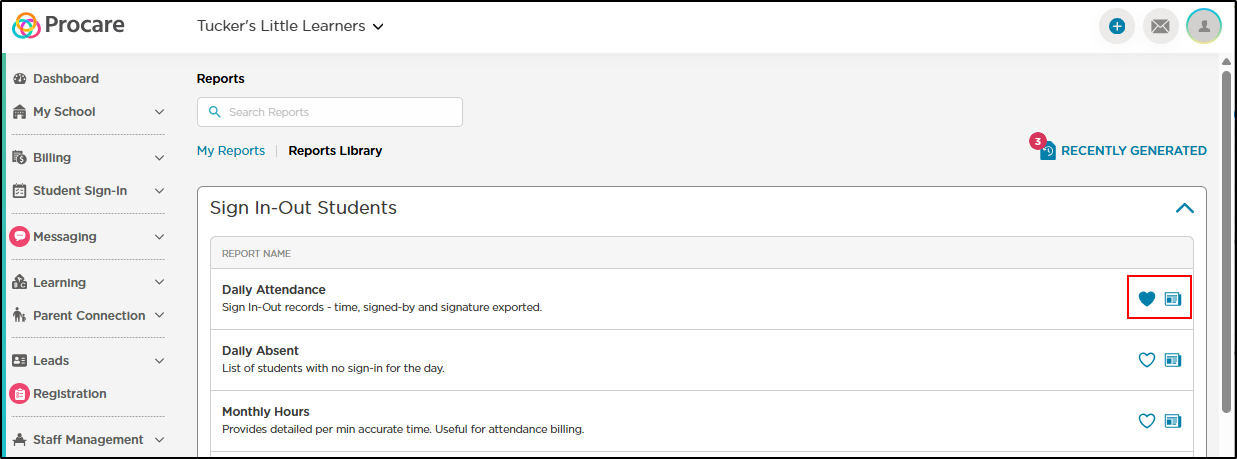
Click the report icon to generate a new report and click the heart icon to save the report as a favorite.
Minor Enhancements & Bug Fixes
-
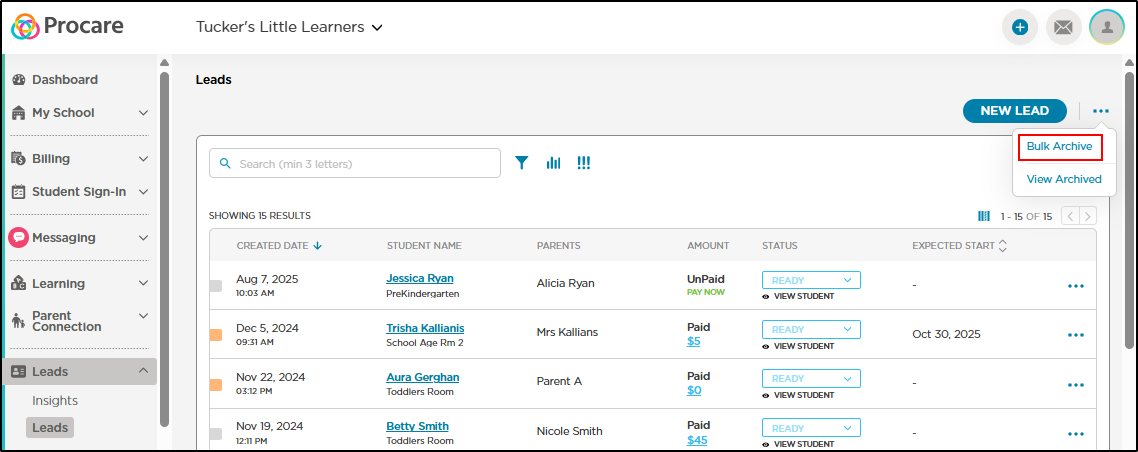
You can now archive multiple leads at once with the new Bulk Archive option.
-
A new Bottle Feeding Report has been created to provide detailed data on feeding times, amounts, milk/formula type and more. See sample: Bottle Feeding Report
-
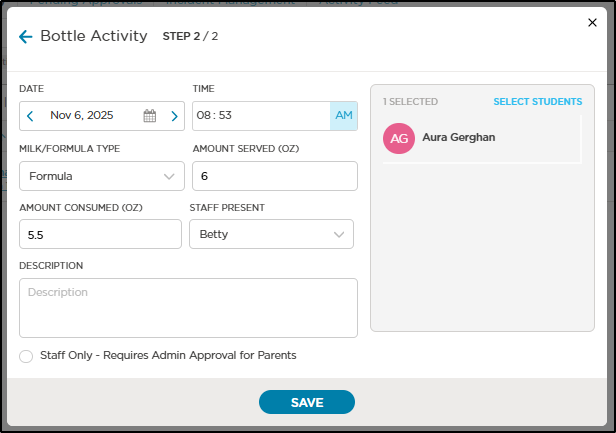
New fields have been added when recording Bottle activities to help families stay informed and provides accurate data for tracking or reporting.
-
Resolved an issue where Daily Student Attendance Reports was not generating as a PDF every time.
-
Fixed an issue where unread indicators (red dots) on messages that have been previously viewed were still displaying.
-
Resolved an issue where the Merchant Statement, Bank Account Activity and Transaction Batch Summary Corporate Tuition Express reports where not displaying as expected in the recently generated report list.
-
Resolved an issue where the Dashboard was calculating pending approval activity count incorrectly.
-
Fixed an issue where data was sycning between Desktop and Engagement for inactive centers.
-
Resolved an issue where messages sent from the Leads section were not appearing in the Communications tab as expected.
-
Fixed an issue in the mobile app where the "DONE" button was obscured when attempting to upload a photo from an image gallery on Android devices.
-
Resolved an issue in the mobile app where an image or video could not be added to an activity on certain Amazon Fire devices.
-
Fixed an issue in the mobile app where the app wouldn't load as expected on Android devices.