Automated payment receipts help keep families informed by delivering a receipt for every transaction directly to their email. Whether a parent makes a manual payment or is enrolled in automatic billing, they will have an immediate, reliable record of their payment.
How It Works
A receipt is automatically emailed after every successful payment
Applies to both manual payments and automated/recurring payments
Receipts are delivered directly to the parent or guardian’s email inbox
Default Settings
Automated receipts are enabled by default for all centers
The first payer listed on the account typically receives the receipt
Families are automatically opted in, no setup required
Manage Receipt Preferences
Admins can update receipt settings for individual families upon request.
Turn Off Automated Receipts
Receipt settings can be configured in two locations:
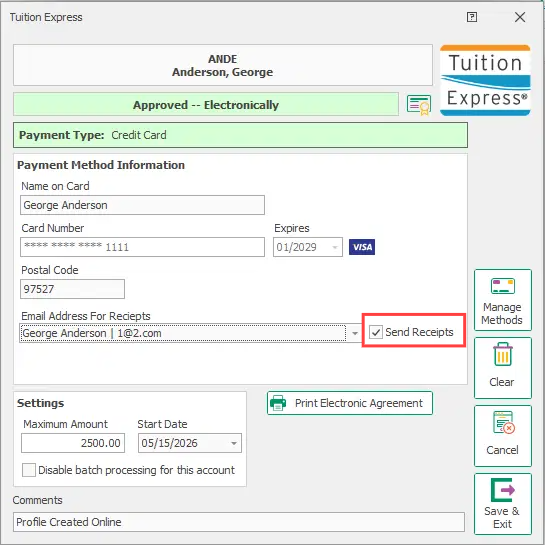
Go to the Payer Profile
Select the TE icon
Uncheck the Receipts option
Save your change
Receipt delivery can also be enabled or disabled during the POS payment process
This allows staff to control receipt delivery at the time of payment if needed
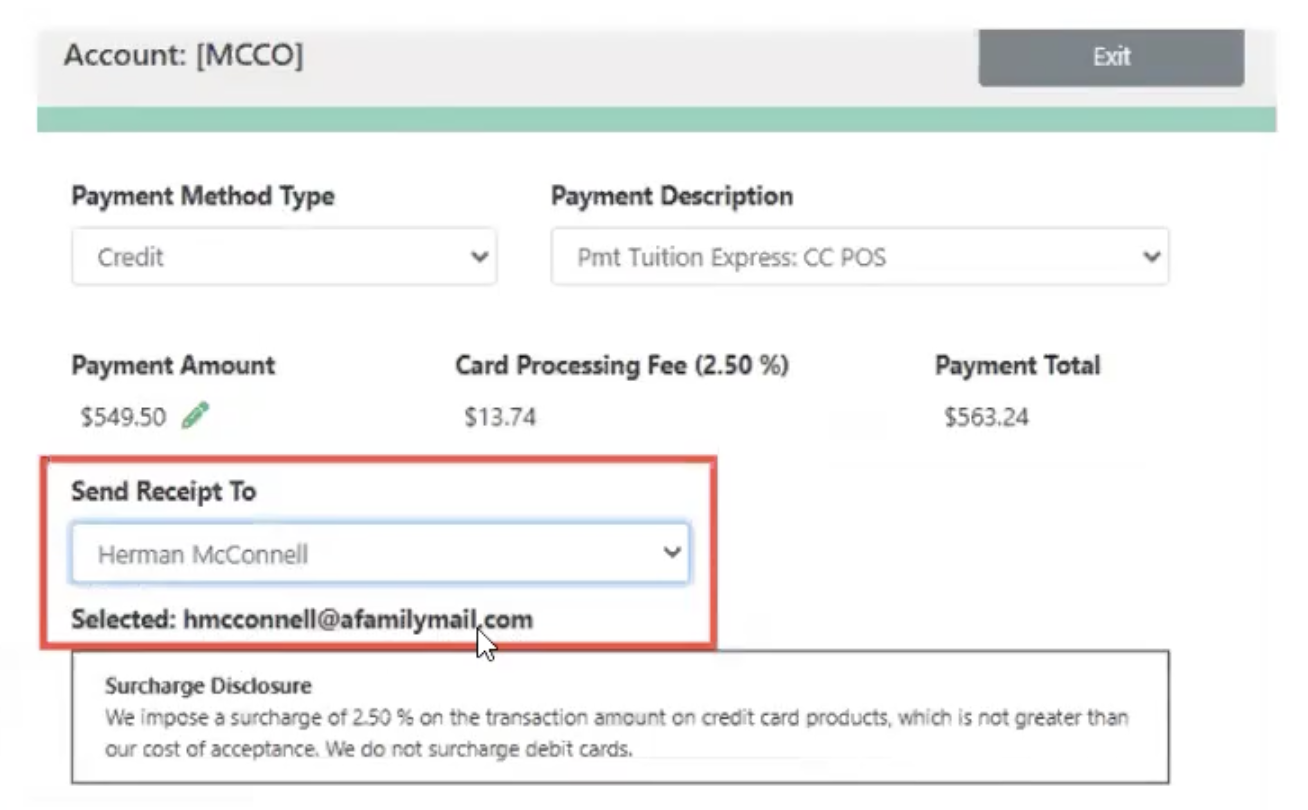
Change the Receipt Recipient
Update the payer details or adjust which payer is designated to receive communications
Ensure the correct email address is listed for receipt delivery