Navigation Changes
The Leads and Registration sections are now under Enrollment.
Use Leads for New Families Only
The Leads feature is for new families only; if a current family completes the form, it will create a duplicate student. For this reason, the Leads section is not a good fit for summer camps and enrichment programs. See Re-Registration for current students.
Edit the Form
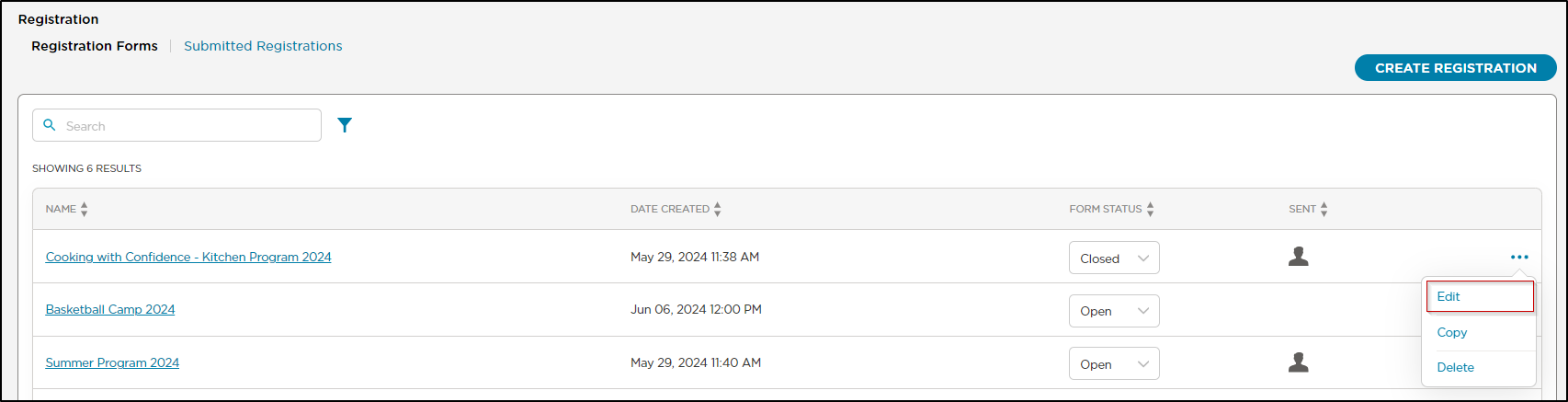
If you need to make changes to your enrollment or registration form, navigate to the Enrollment > Registration > Registration Forms screen, then select Edit on the form you want to update.
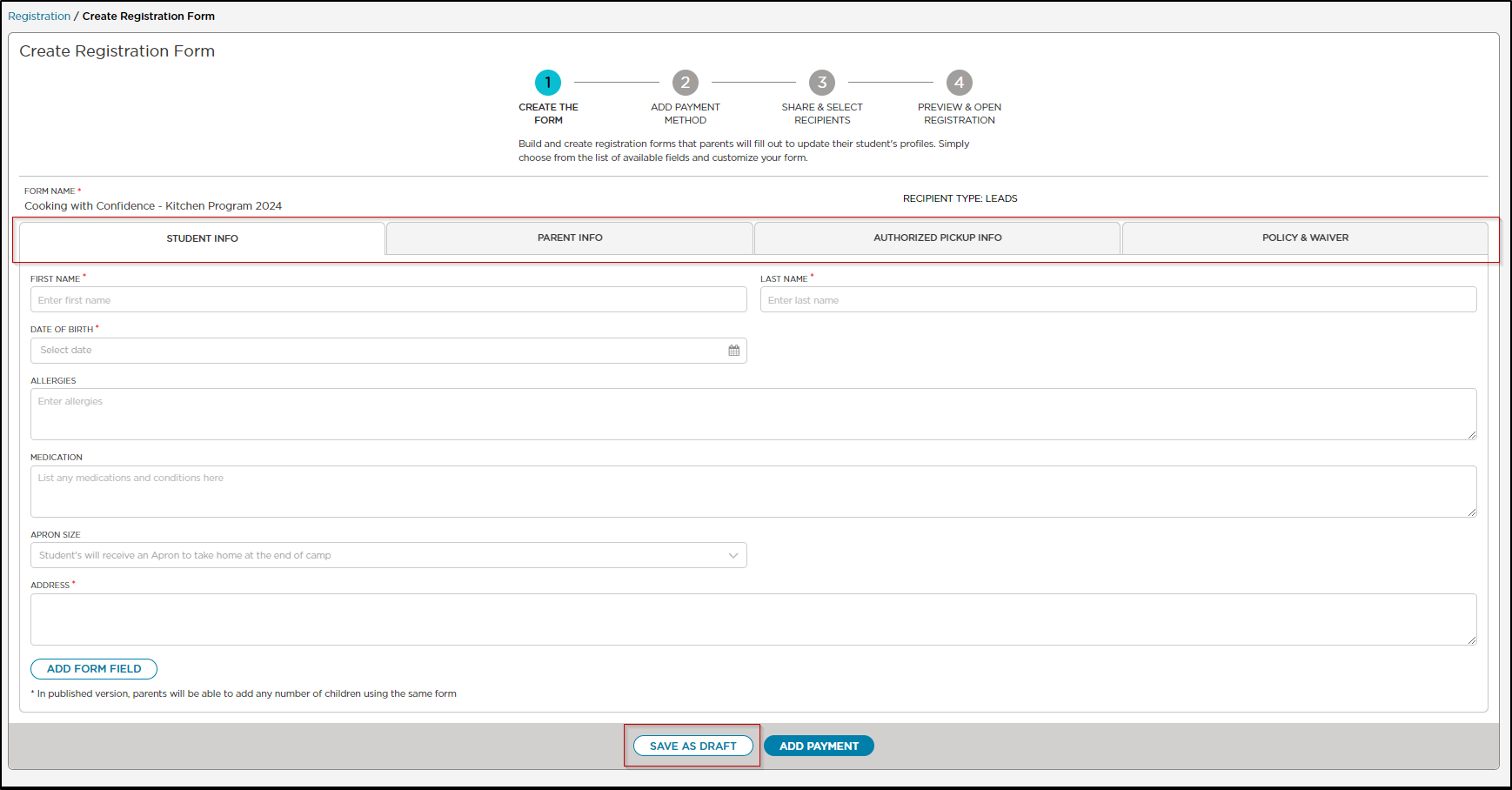
Under Step 1 Create The Form, select the section you want to edit.
Rearrange Registration Form Fields
Rearrange fields while building custom lead or active student registration forms to better reflect your program needs. You can update the order at any time, simply drag and drop to rearrange your form fields in a way that suits your center.
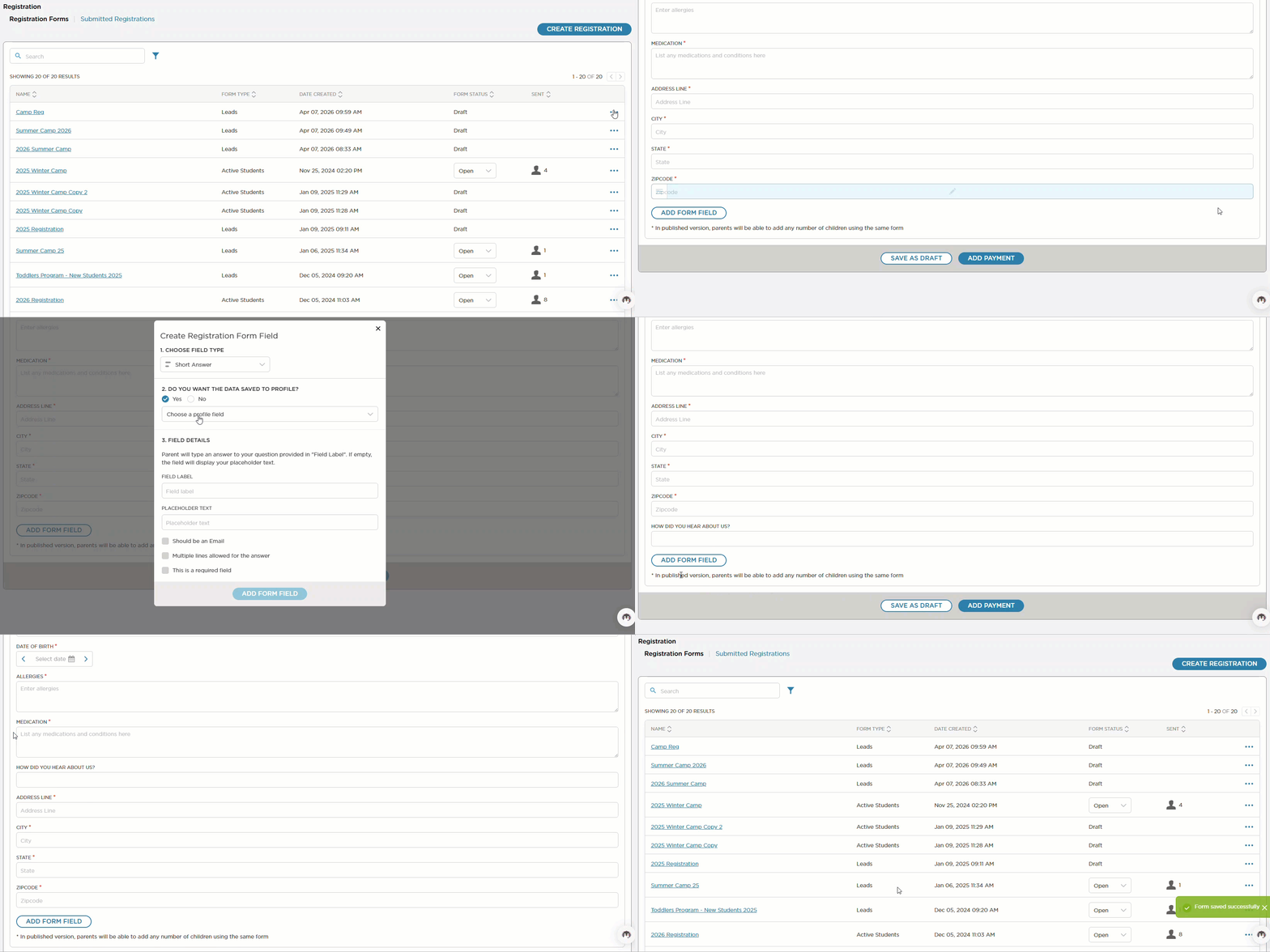
Click Save As Draft for each screen that you make changes to. This saves the changes to the form without publishing them.
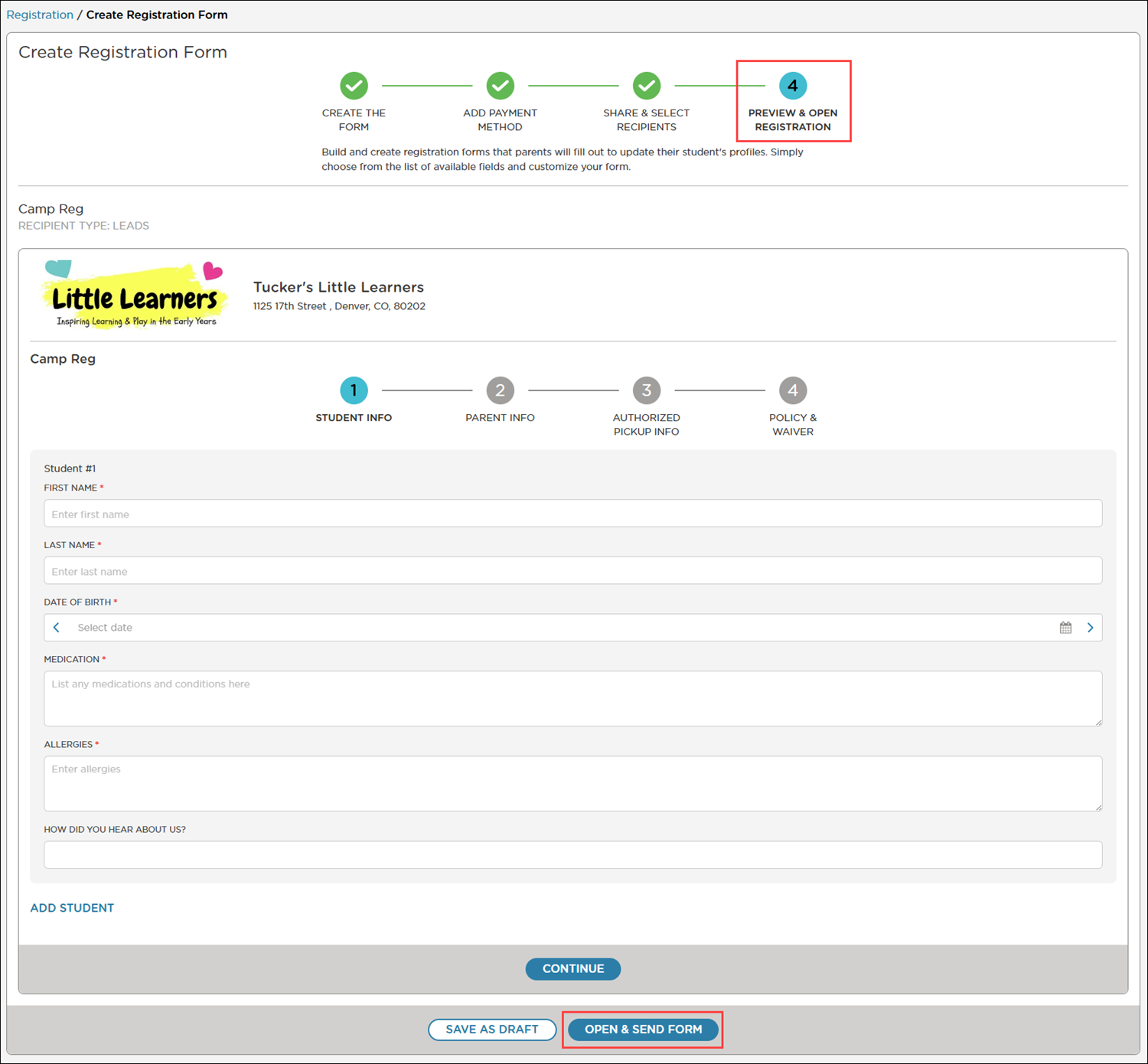
Click Preview & Open Registration to review the changes.
Click Open & Send Form to publish the updates.
Edit your Payment Info
To update your enrollment fee click Step 2 Add Payment Method.
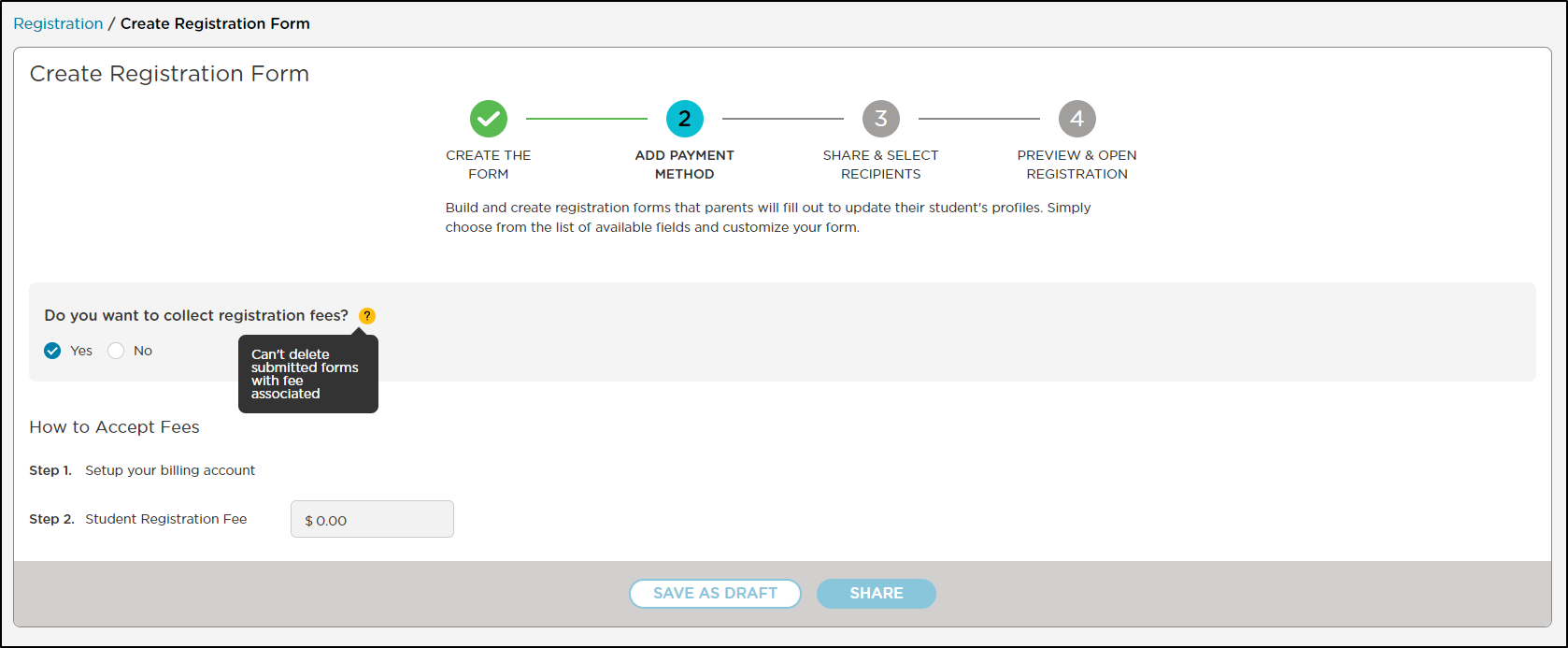
After making your changes, click Save as Draft at the bottom.
Navigate to Preview & Open Registration and click Open & Send Form to publish the updates.
See the article on receiving registration or enrollment fee payments.
Re-Share the Form
The form link will remain the same and will reflect any changes that have been made. Here is the link to our help article on how to Share the Form.