Procare Online provides you with powerful reporting tools designed to simplify the management of your center. Enjoy a wide selection of built-in reports, flexible filters, and quick export options—plus the ability to create custom reports, favorite your go-to reports, and save your preferences for faster access anytime.
.png)
My Reports
.png)
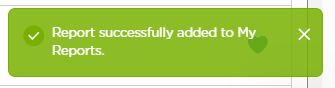
The My Reports tab allows you to add up to 10 of your frequently used reports to bookmark them on your personalized dashboard, or search the collapsible categories in the Reports Library and add custom reports to find exactly what you need to make the best decisions for your center.
Save Report Preferences
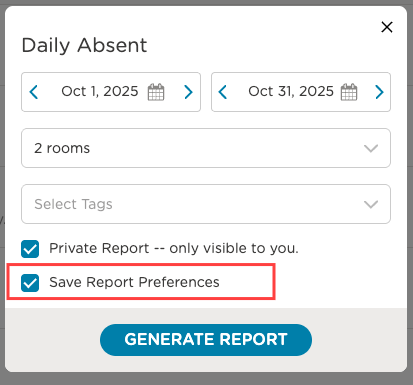
Save your report preferences for your favorite reports to generate them instantly—no need to reapply filters or settings each time.
Reports Library
On the Reports Library tab, browse through the collapsible categories to discover exactly what you need to make data-driven decisions for your center.
.png)
The following report categories are available in your Reports Library.
Created by Me
Use the Created by Me tab to view customized reports. Custom reports make it easy to extract specific data and meet a variety of reporting needs.
.png)
FAQ
Is there a maximum number of reports that can be added to My Reports?
Yes, up to 10 reports can be added to the My Reports tab.
How long do favorited reports stay in the My Reports list?
Reports added to the My Reports screen will remain until removed. Remove a favorite report by deselecting the heart icon.
What is the maximum number of reports that display in Recently Generated?
There is a maximum of 50 reports that will display in Recently Generated.