Explore the latest features, enhancements and fixed issues in Procare Online.
October 2026
AI Rewrite and AI Translate Now Available in Messaging
Staff can now use AI Rewrite to adjust the tone of a message before sending it, and staff and parents/guardians can use AI Translate to read incoming messages in their preferred language. Learn more.
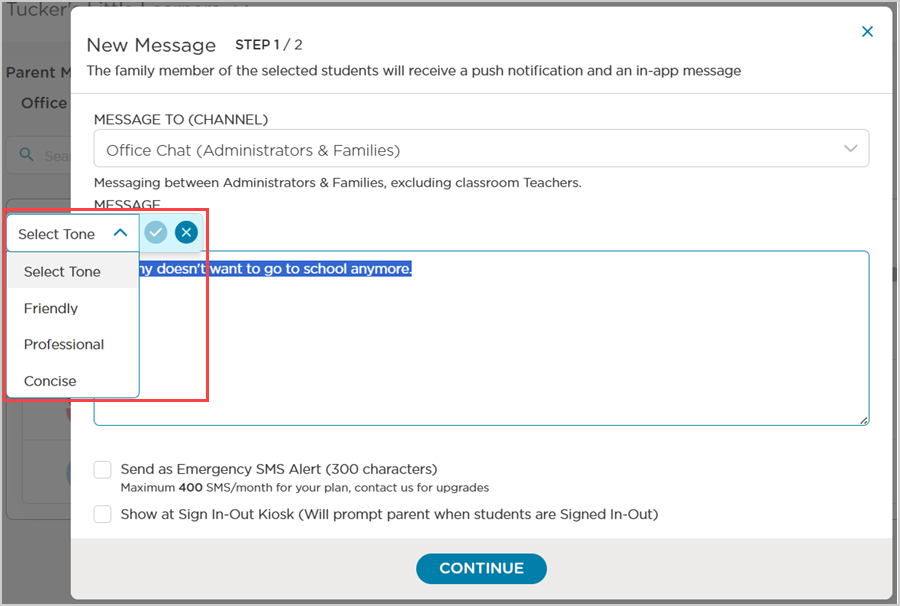
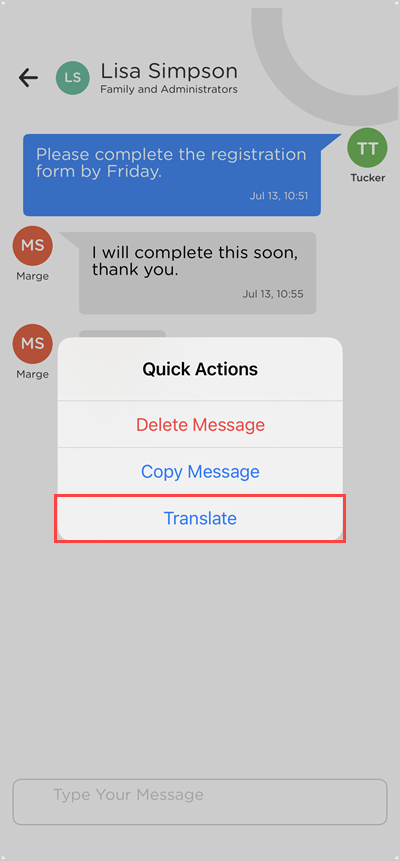
Configure Parent/Guardian Document Upload Notifications
Administrators can now enable or disable in-app and email notifications for staff when a parent/guardian uploads documents to a student’s profile. Learn more.

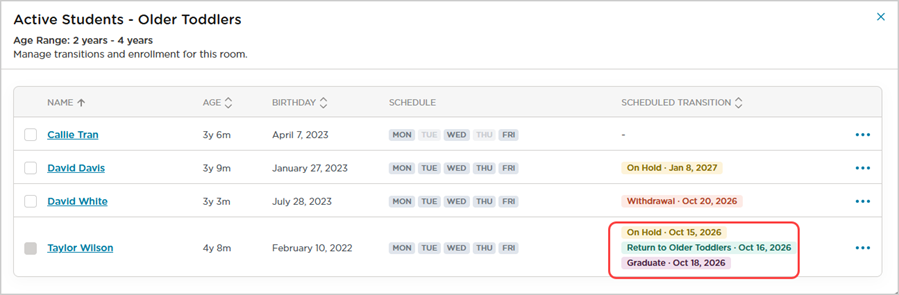
Plan Ahead with Multiple Move Plans in RoomRunner
Directors can now queue up to five move plans per student, each with its own date, so they can schedule an entire sequence of moves and a graduation in one sitting. Learn more.
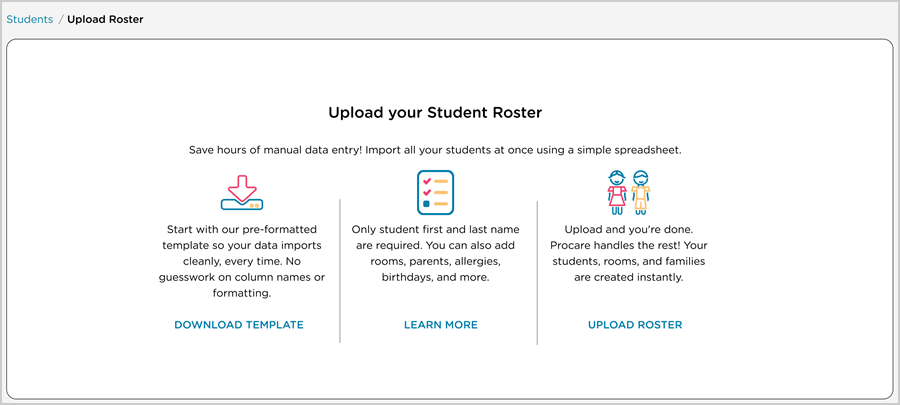
Bulk Uploads Now Cover Your Full Student Data
You can now import all of a student's profile data, including parent/guardians, authorized pickups, physicians and custom fields, in a single bulk upload of more than 100 rows. If an import fails, you will get a clearer notification email explaining exactly what needs to be fixed. Learn more.
Real-Time Sync Between Desktop and the Website
Procare now syncs your family, room and staff data in Desktop automatically in the background so you no longer need to click Cloud Sync or wait for an overnight update. If your cloud Sync button is grayed out, your account is already using the new sync. Learn more.

Release Notes
Learn about the latest features, enhancements and fixed issues in this release.
September 2026
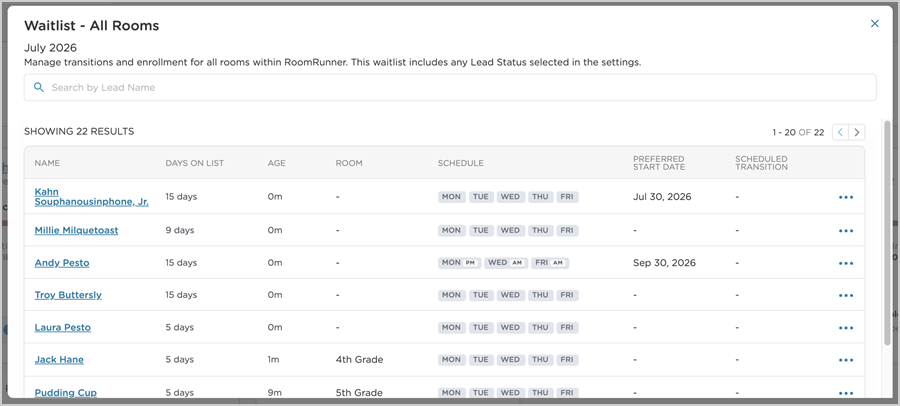
Find Any Lead from the RoomRunner Waitlist
Every lead is now accessible from the RoomRunner waitlist view, including expectant mothers, regardless of age or room alignment. Leads are sorted by youngest first and fully searchable by name or identifier. Leads with a scheduled enrollment will also continue to appear on the waitlist until their transition date arrives. Learn more.
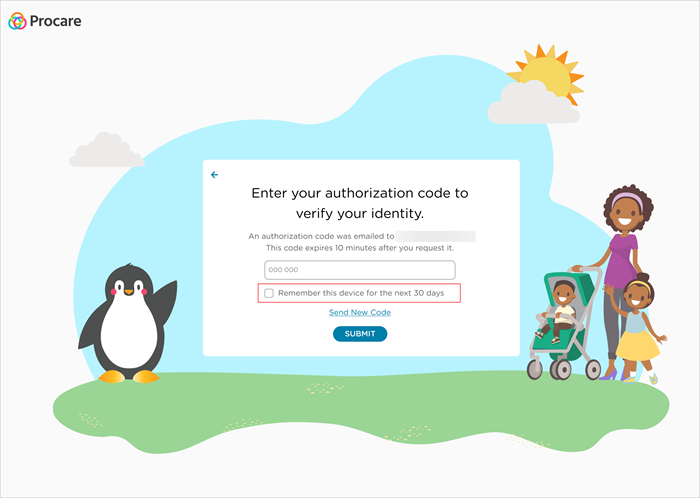
New “Remember Device” Option for 2- Step Verification
You can now remember a device for 30 days during 2-Step Verification, so logins only require a username and password until the 30 days expire. Learn more.
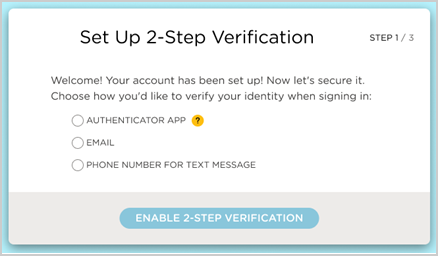
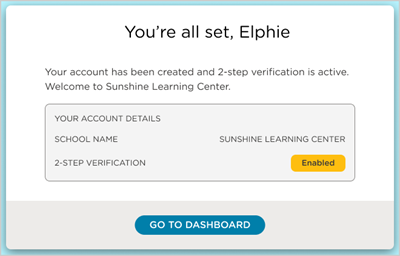
Setting Up 2-Step Verification is Now Part of Creating a Staff Account
New staff will now set up 2-Step Verification as part of creating a Procare Online account, before accessing their dashboard. This enhancement makes the setup process smoother and helps keep information secure from the moment an account is created. Learn more.
Automatic Lockout After Failed Login Attempts
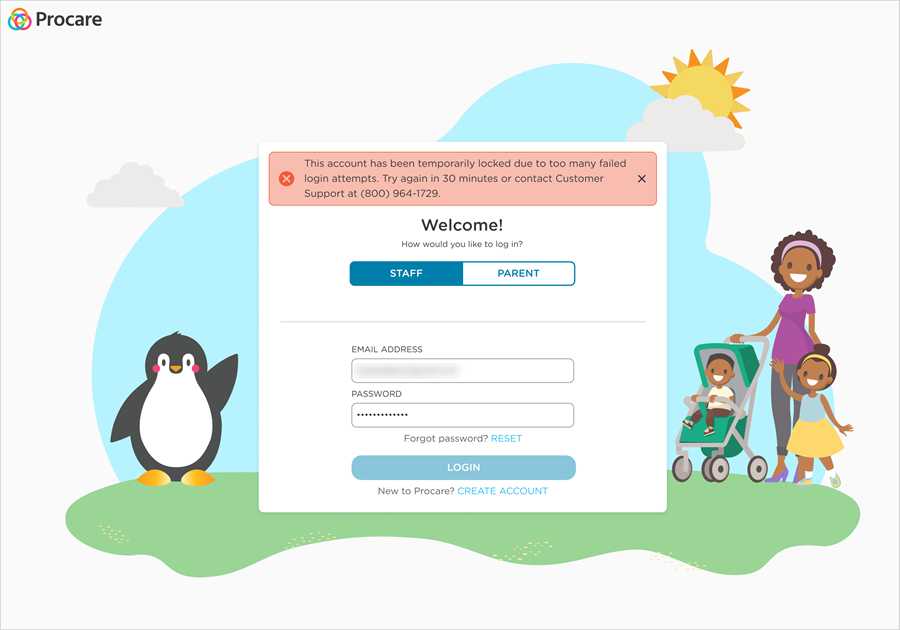
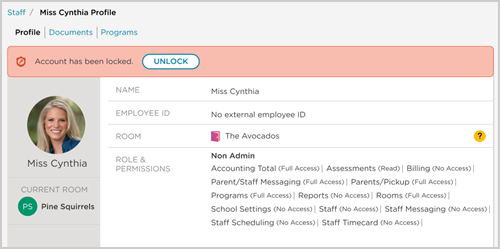
You will now be temporarily locked out of your account for 30 minutes after 5 consecutive failed login attempts. After 3 temporary lockouts in a 7-day period, your account will be fully locked and require an authorized user to unlock it.
Learn more about failed login attempts and unlocking locked accounts.
Clearer Confirmations for RoomRunner Move Plans
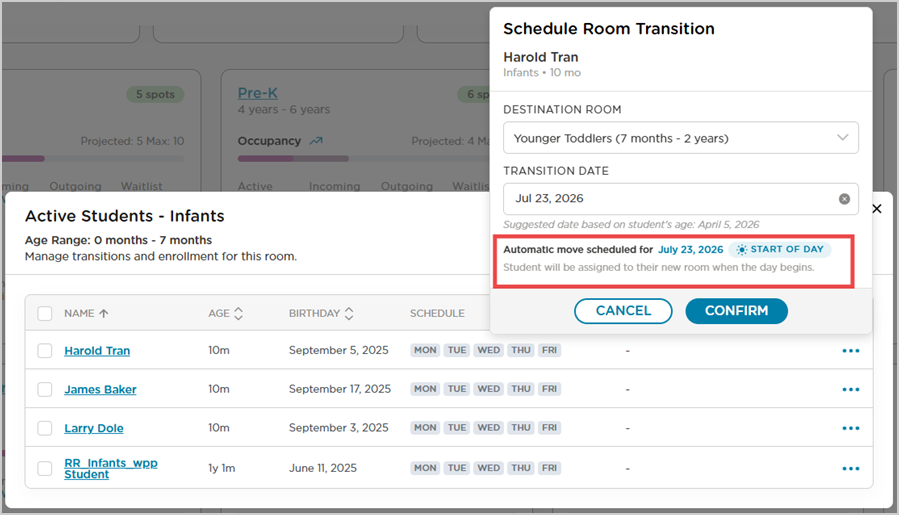
When you create, edit or bulk-update a move plan, a confirmation message now clearly states what will happen and when, before you confirm. This covers all six move plan types. With this update, you can commit to move plans with confidence, without worrying about surprise transitions, mistimed withdrawals or last-minute cleanup calls. Learn more.
Release Notes
Learn about the latest features, enhancements and fixed issues in this release.
August 2026
Stronger Protections for Your Account and Login
We have made a few security updates to help keep staff and parent/guardian accounts more secure. These changes work together behind-the-scenes to make it harder for unauthorized individuals to access accounts.
Password Reuse Restricted
When creating or updating a password, users can no longer reuse any of their last 12 passwords. This helps ensure passwords stay fresh and reduces the risk that comes with recycling old credentials over time. Learn more.
Weak Passwords Now Blocked
Trying to set a password that is too common or easy to guess, such as a simple word or number sequence, will now be blocked, with a prompt to choose something stronger. Learn more.
Release Notes
Learn about the latest features, enhancements and fixed issues in this release.
July 2026
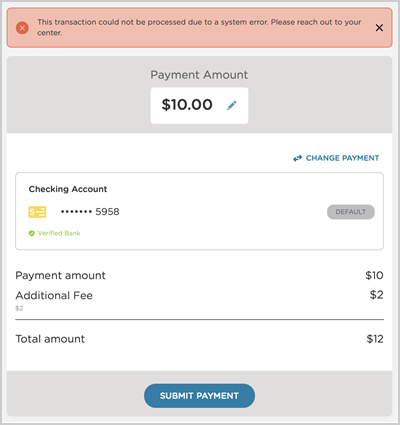
Clearer Error Messages for Failed Payments
Procare Online now provides clearer, more specific messages when a payment attempt fails. Instead of a generic payment failed notice, you will see the actual reason, such as an expired card or account number mismatch, along with guidance on how to resolve it. Parents/Guardians and administrators can get the full picture right away, so payment issues can be resolved faster with less back-and-forth. Available to users with Tuition Express in Procare Online or Procare Desktop with Engagement Functionality only. Learn more.
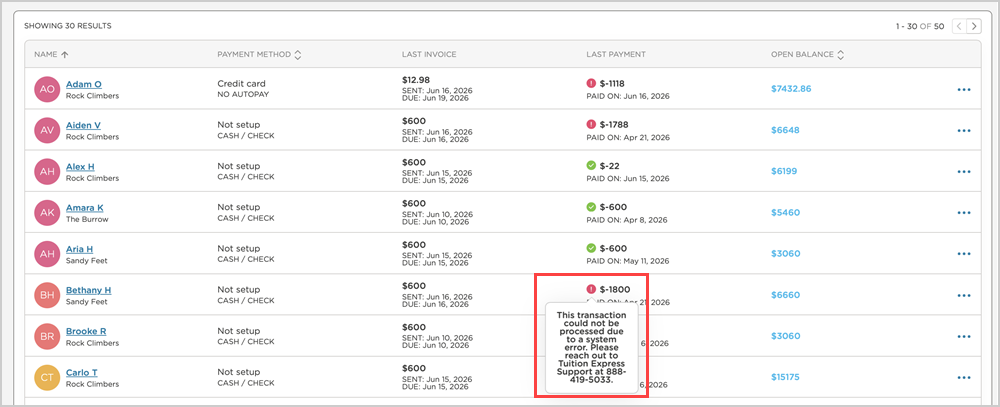
Failed Refund Attempts Now Recorded in the Family Ledger
All failed refund attempts now post to the family ledger, visible to both administrators and parents/guardians. Previously, when a refund attempt failed, it was not recorded anywhere. Now, every failed attempt appears as a ledger entry and no additional notifications are sent, just a clear ledger entry showing the attempt took place. Additionally, the payment error messaging enhancement adds the specific failure reason to these entries. Learn more.
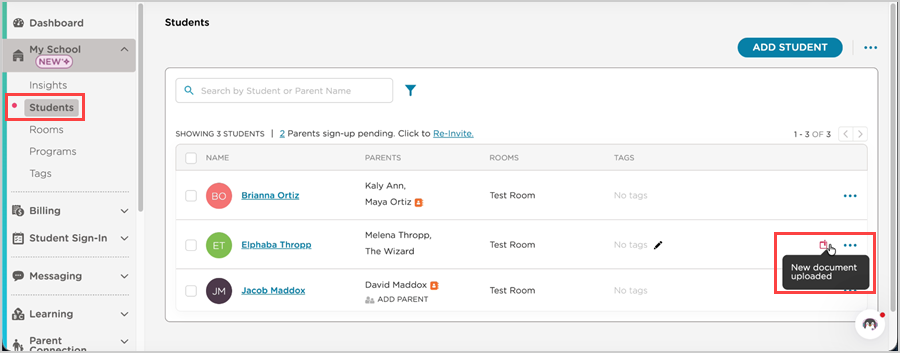
Real-time Alerts for Parent/Guardian Document Uploads
Administrators and assigned teachers now get notified by email and in Procare Online the instant a parent/guardian uploads a document to their child's profile. A quick glance at the Students page shows exactly which students have new documents waiting, so you can review them without parents/guardians needing to remind you. Learn more.
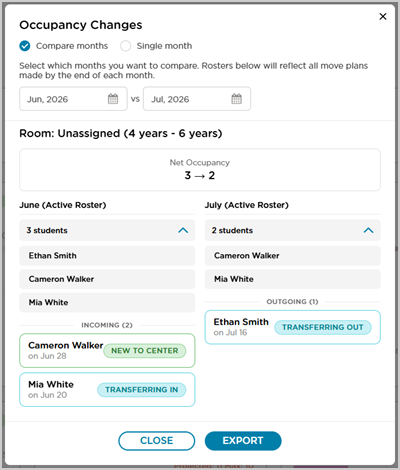
Understand Room Occupancy Changes at a Glance
RoomRunner now lets you compare occupancy between any two months right from the classroom card. See who moved in, who moved out and why, plus a clean summary of net enrollment changes. Need to share it? Export a ready-to-go PDF for owners or board members in one click. Learn more.
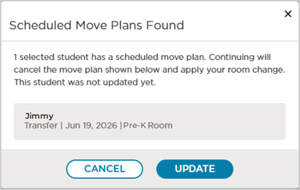
Bulk Changes No Longer Blocked by Scheduled RoomRunner Transitions
When managing enrollment or room changes for a group of students, RoomRunner move plans will no longer bring your bulk update to a halt. If a student in your selection has a scheduled transition, you will see exactly who and can choose to cancel their move plan and proceed, or hold off entirely. Everyone else updates immediately. Learn more.
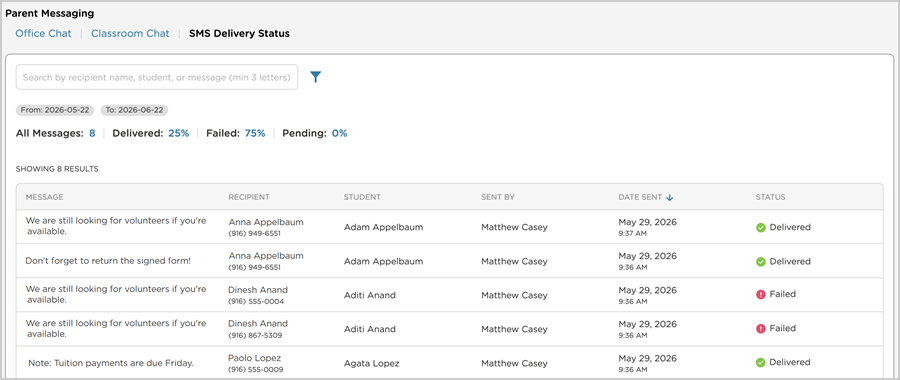
Track SMS Delivery with a New Status Dashboard
You can now view the delivery status of every SMS message you send, all from one centralized dashboard. See at a glance which messages were delivered, failed or are still pending. If a message fails, you can quickly view the specific reason and follow up with the family right away. Learn more.
Release Notes
Learn about the latest features, enhancements and fixed issues in this release.
June 2026
Mandatory 2-Step Verification for Staff
To better protect your organization's data, all staff are now required to use 2-Step Verification when logging in to Procare Online. This industry-standard security measure adds an extra safeguard beyond your password, reducing the risk of unauthorized access. Learn more.
Manage Scheduled Enrollments from RoomRunner
You can now update or cancel a child’s scheduled enrollment directly from the RoomRunner dashboard without having to navigate to Leads. Whether you’re working in RoomRunner or the Leads page, your data automatically stays in sync. Learn more.
RoomRunner Move Plans Now Cover Every Child Movement: Schedule On Hold for Active Students
Use Schedule on Hold in RoomRunner to place a future hold on an active student’s record while freeing up their room slot. All room and program assignments are saved, making reactivation a one-step process. Learn more.
Release Notes
Learn about the latest features, enhancements and fixed issues in this release.
May 2026
RoomRunner: AI-Assisted Room Movement and Capacity Forecasting
RoomRunner is the AI-powered enrollment planning tool built into Procare. It shows what’s happening across your center now, predicts what’s coming next and recommends your next move so you can plan ahead with confidence. Available for Procare Online customers only. Learn more.
Parent Wallet: Multiple Payment Methods for Added Flexibility
The Parent Wallet now provides more flexibility when making payments. This change allows parents/guardians to store up to six payment methods, including ACH, debit cards and credit cards, and set a default for quick, seamless transactions. Learn more.
Release Notes
Learn about the latest features, enhancements and fixed issues in this release.
April 2026
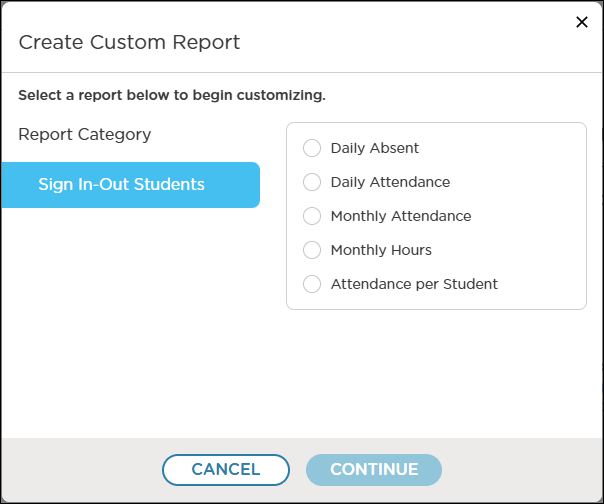
Created By Me: Your Personal Space for Custom Reports
The reporting experience has been enhanced by Created By Me, which allows users to create and manage their own custom reports. Reports are visible only to you, keeping data organized and student information secure, with existing reports available as a starting point to make it faster and easier to build custom insights. Learn more.
Parent Email Confirmation for Added Security
To better protect student and family information, parent email addresses must now be confirmed before communication begins. Any new or updated email address will trigger a confirmation step, and parent profiles now clearly show verification and account sign‑up status at a glance. Learn more.
Release Notes
Learn about the latest features, enhancements and fixed issues in this release.
March 2026
New Custom Roles & Permissions
Users now have the freedom to build roles that truly reflect how their organizations work. Every role can be personalized with specific permissions, making it easier to give staff the exact level of access they need. Learn more.
Same Day Refunds for ACH Transactions
We are streamlining center operations by allowing an ACH refund sooner, providing a consistent, mistake-proof way to maintain an accurate ledger without the hassle of manual credits.
Release Notes
Learn about the latest features, enhancements and fixed issues in this release.
February 2026
Programs Enhancements
The Programs workflow has been enhanced to guide users through enrolling students, assigning staff and selecting a room during program creation to help ensure key setup steps are completed. Learn more.
2-Step Verification Now Available
New optional 2-Step Verification helps protect staff and family data by adding an extra layer of security against unauthorized access. Users can set up verification using an authenticator app, phone number, or email, helping reduce the risk of breaches caused by weak or stolen passwords. Learn more.
Release Notes
Learn about the latest features, enhancements and fixed issues in this release.
2025 Releases
November 2025
Reporting Enhancements
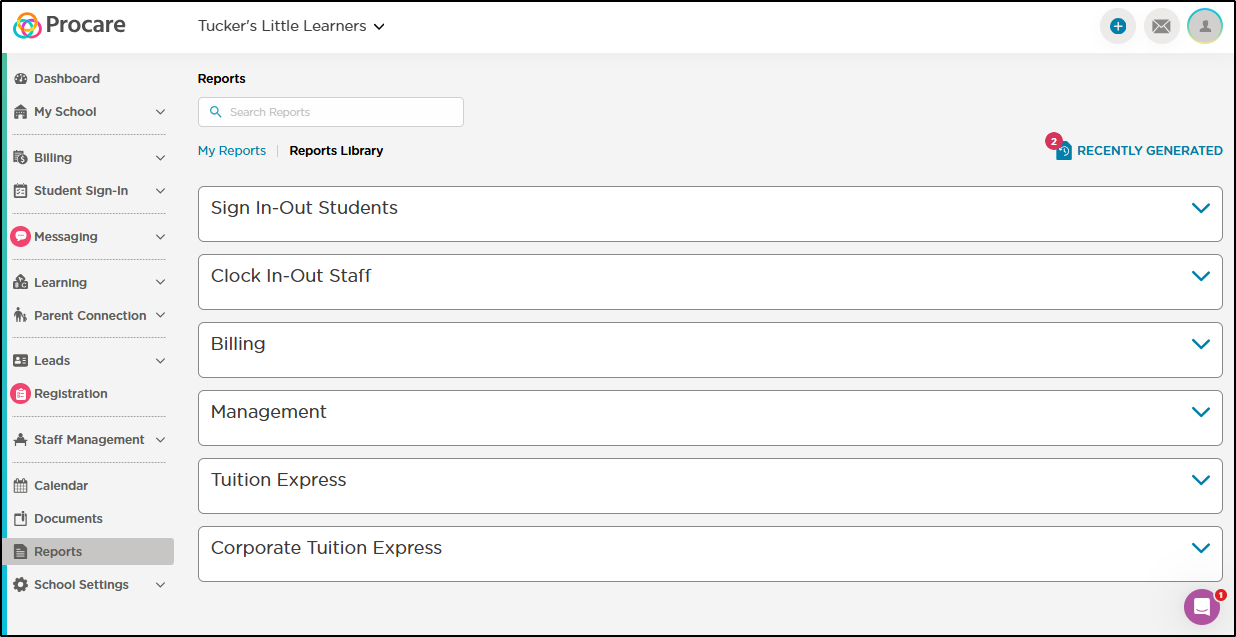
The Reports dashboard has new capabilities and a modern design. Bookmark your most-used reports for quick and easy access, or search through the collapsible categories in the Reports Library to discover exactly what you need to make data-driven decisions for your center.
New and enhanced features include:
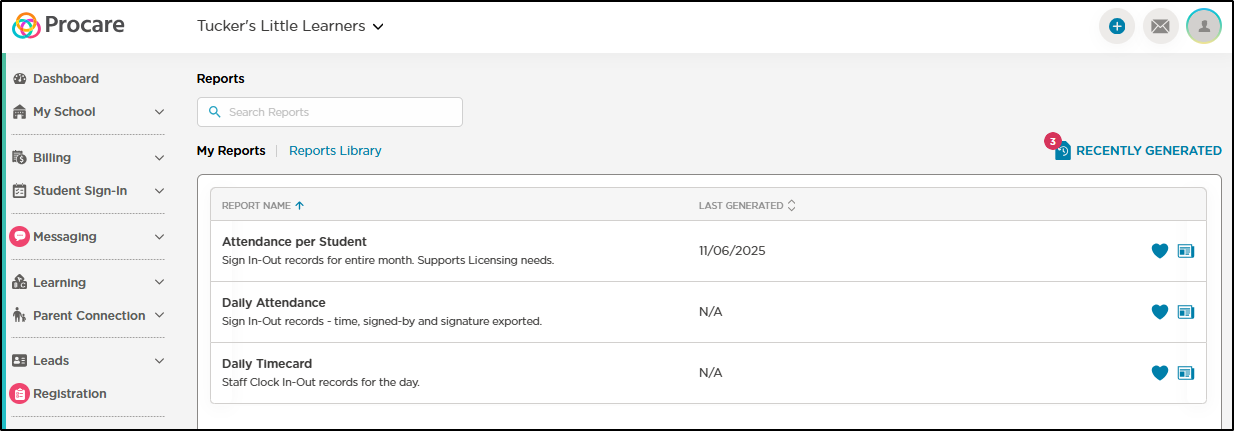
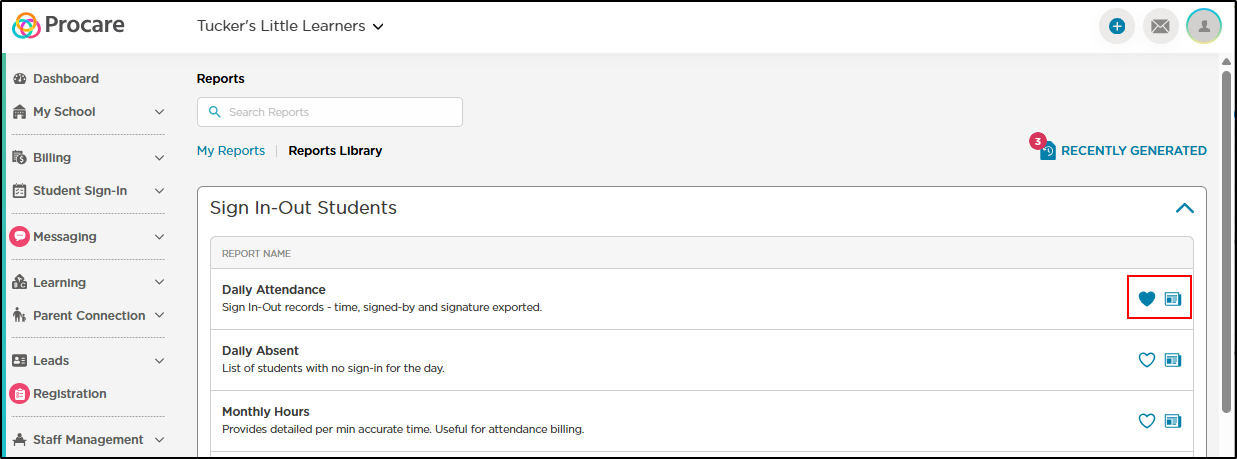
A My Reports tab has been added to display your 10 most used reports. Once adding a report as a favorite (clicking the heart icon), you can also save your report preferences (filters) to make running the report faster than ever.
The Reports Library displays all available reports with a new design. Each report category is collapsible to make it easier to find the report you're looking for.
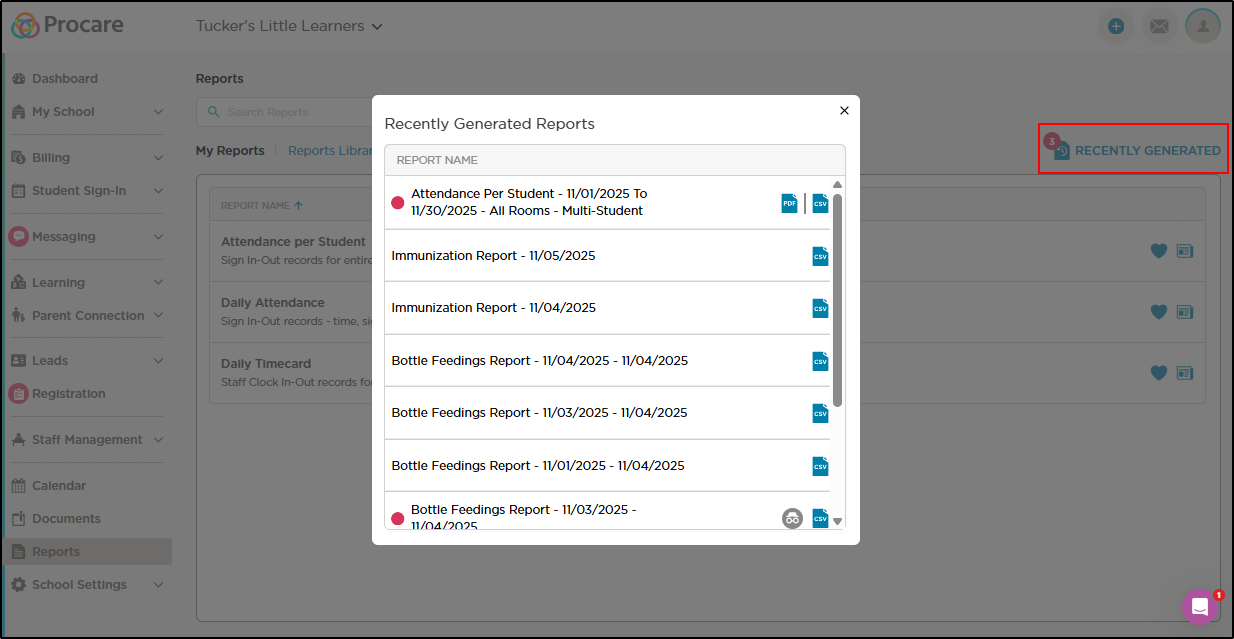
Recently Generated Reports is accessible from My Reports and the Reports Library by clicking the Recently Generated button.
Click the report icon to generate a new report and click the heart icon to save the report as a favorite.
Release Notes
Learn about the latest features, enhancements and fixed issues in this release.
October 2025
Partial Refunds
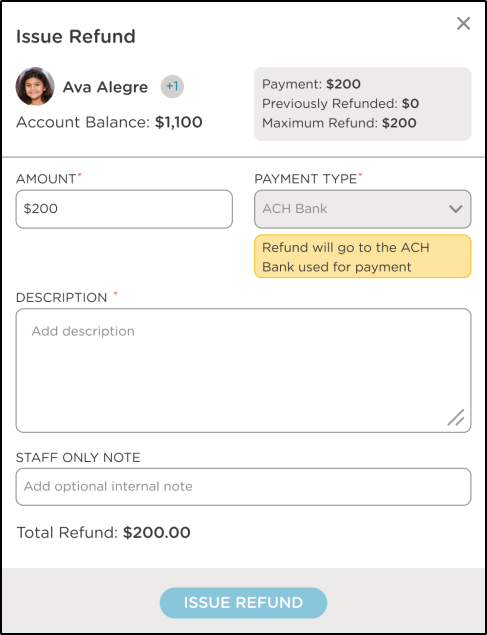
Users can now issue partial refunds for Tuition Express transactions.
Standard refund timelines continue to apply.
Leads transactions are included and allow for partial refunds.
Multiple refunds can be processed for a single payment, but cannot exceed original payment amount.
If the full payment amount was previously refunded, a message will display.
Batch Student Sign-In
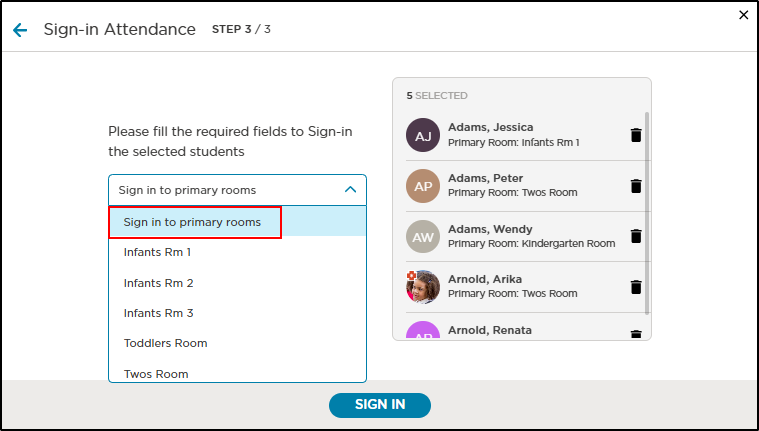
When signing multiple students in, you now have the option to "Sign in to primary rooms". This allows users to sign multiple children into multiple rooms at once. When choosing this option, each selected student will be signed into their primary room, which pulls from the Primary Room field on their profile.
Release Notes
Learn about the latest features, enhancements and fixed issues in this release.
September 2025
Immunization Dosing Enhancements
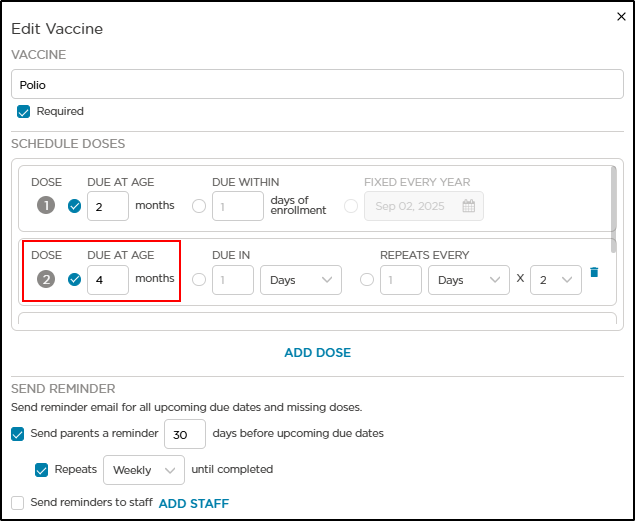
All immunization doses can now be set to “Due At Age” for more precise tracking. Previously, this option was only available for the first dose. Ages are displayed in months and are automatically calculated from the student’s birthdate in their profile.
Release Notes
Learn about the latest features, enhancements and fixed issues in this release.